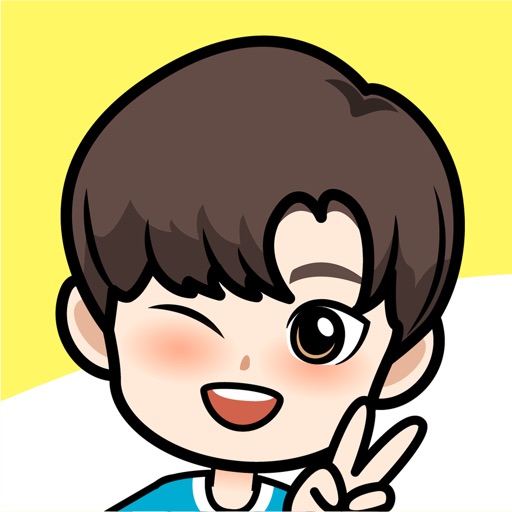
Create a personalized character with customizable features like hair, eyes, and outfit. Use hundreds of unique stickers to express emotions. Send stickers directly from keyboard, Zalo, Messenger, and other apps.
by VNG ONLINE CO.,LTD★ 4.542 ratingsEntertainmentFreeData updated 2026-09-16
Create customizable anime-style avatars by mixing and matching clothing items. Add emotion bubbles to express feelings. Share avatars on social media. Use as an avatar for personal and social interactions.
Send and receive stickers in iMessage with 124 high-resolution static images. Choose from 40 free stickers or purchase for full access. Share humorous and expressive visuals with contacts.
Send text as images or stickers. Choose from various font styles, adjust text color and size. Use giant emojis or create custom stickers. Reuse stickers in conversations. Share formatted text with others.
Send stickers to WhatsApp, Snapchat, and iMessage. Select from hundreds of high-quality stickers. Rotate, resize, and customize stickers before sending. Organize stickers into categories for easy access.
Create and customize cartoon with a wide range of hairstyles, skin tones, and accessories. Choose outfit colors and styles. Add accessories and decorate the character. Save and share the final design.
Create anime-style cartoon avatars with customizable features. Choose from hundreds of options to personalize characters. Add accessories, expressions, and backgrounds. Export images for social media sharing.
Create original cartoon characters by customizing features like eyes, mouth, color, and accessories. Choose from thousands of character fragments. Save and share created images or set them as wallpaper.
Use stickers to express emotions during chats. Swipe through pages to navigate. Access 149 stickers permanently after one-time purchase. Share stickers in messaging apps.
Create and customize stickers with AI-generated images and templates. Share stickers across messaging apps like and Telegram. Play classic games with adjustable layouts. Generate stickers and images using AI tools.
Create unique stickers by deconstructing and mixing elements. Edit emojis with style switches and custom text. Merge emojis to form new expressions. Design personalized avatars and wallpapers with customizable options.
Create album covers from photos with customizable templates and design tools. Add text, stickers, and parental advisory labels. Export and share finished covers directly.
Send and receive animated stickers in iMessage. Choose from 120 high-quality animated stickers. Includes 40 free stickers; purchase for full access. Add stickers to conversations to express emotions. Share stickers with friends via iMessage.
Send stickers directly to messages by holding a sticker in the drawer until it appears. Choose from a variety of expressive characters and themes. Add new sticker packs in the future for expanded communication options.
Send to multiple apps including WhatsApp, Instagram, and Snapchat. Import sticker categories or send individually. Assign to contacts by tapping and holding. Share via MMS, email, or directly within apps.
Add emojis to messages in apps like Facebook Messenger, WhatsApp, and Viber. Access iMessage stickers without installing a keyboard. Copy-paste emojis directly into conversations.
Create and save stickers based on diary entries. Share stickers with others to express emotions like nostalgia and sympathy. View and edit sticker collections. Add text and symbols to personalize stickers.
Design custom emojis with drawing tools and templates. Save and share them as stickers in iMessage. Copy emojis to use in other apps or emails. Emojis are exported as images for consistent display across devices.
Edit photos and videos with move, rotate, scale, flip, and custom adjustments. Apply unique filters, effects, borders, and frames. Add text and stickers. Share full-size content directly to and other social platforms without cropping.