Add to videos with animation options. Customize size, color, opacity, and background of captions. Animate line by line, word by word, or character by character. Adjust timing and speed. Position and rotate freely. Add multiple captions per .
by Voxeloid Kft.★ 4.5623 ratingsPhoto & VideoFreeData updated 2026-09-16
Use PRO to generate essays, texts, tweets, captions, emails, and more with AI. Input specific tasks to receive tailored content. Receive suggestions for creative writing, code corrections, and structured responses.
Create collages by adding to photos or videos. Choose canvas size and color. Customize with font, size, border, color, gradient, stroke, and shadow. Add stickers or GIFs. Save projects for reuse. Access 300+ fonts for multiple languages.
Access and edit royalty-free images and vectors. Add text, stickers, and effects to images. Share edited content on social platforms. Edit for personal or commercial use without copyright restrictions.
Create subtitles for videos by selecting the file and using AI-driven text recognition. Choose from over 20 pre-designed subtitle templates. Support multiple languages for global accessibility. Edit and adjust timing of within the .
Add photo frames and captions to enhance images. Choose from a variety of frame styles and customization options. Edit photos with basic tools and adjust brightness, contrast, and saturation.
Create artistic images with single-tap camera effects and professionally designed filters. Adjust brightness, contrast, and tone curve. Blur and focus images. Rotate, crop, and resize photos. Add text and fun stickers.
Install and use -style in compatible apps like Word, Excel, and Cricut. Preview within the and customize text colors. Share formatted text via message or social media with a single tap.
Apply masks to photos by selecting from over 50 options. Adjust mask position and size. Crop or scale the photo freely. Save and share the edited image.
Create logos using 3500+ customizable templates and 100+ fonts. Add graphics and edit designs with powerful tools. Save and export logos for websites, social media, business cards, and email signatures.
The app provides layouts, backgrounds, and frames for designing photo collages. Users can select templates, upload photos, and adjust them with effects, resizing, or rotation.
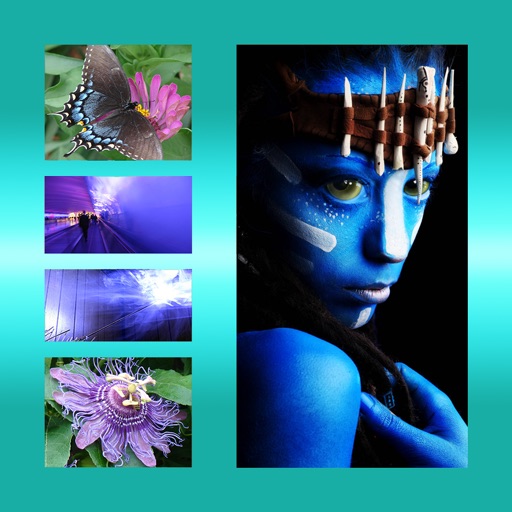
Create collages by combining multiple photos into a single framed image with captions. Add 2D and 3D effects. Share finished collages on social media platforms like Facebook, Twitter, and Flickr.
Read scripts with smooth-scrolling text and floating notes. Record videos without looking away from the camera. Integrate scripts with autocue technology. Sync text with playback for seamless recording. Export final videos with embedded prompts.
Adjust text size and spacing for better readability. Choose from accessible fonts like OpenDyslexic or Comic Sans. Customize line spacing and background color. Enable dark mode for reduced light sensitivity. Sync settings across devices.
The app allows users to combine multiple photos into one framed picture. Users can adjust contrast, brightness, and saturation, add text, and apply effects.
Attach speech balloons to photos with intuitive steps. Add text captions or logos without frames. Include hand-drawn elements. Edit and share modified images directly.
Create clips with one click. Apply effects, add soundtracks, and adjust speed. Save videos to your device or share to social media. Subscribe for unlimited access to all features and content.
The app allows users to record details about their orchids, including botanical names, watering schedules, and flowering events. Users can add and rearrange multiple photos per plant and log entry, with captions and a full-screen gallery view.
Trim clips by selecting specific regions. Apply filters and add background music. Save edited videos to the camera roll. Share videos to YouTube, Viddy, Instagram, email, and WhatsApp.