Read QR or barcodes to extract text or numbers. Convert data into images or PDF files. Save images to the gallery, share via email, or send as attachments. Export PDFs for email or extensions.
by Moveit D.O.O.★ 4.894 ratingsUtilitiesFreeData updated 2026-09-16
Print, scan, fax, and share documents and photos from iPhone or iPad. Send files securely or create email attachments. Print important documents on the go. Share files with friends, family, or colleagues.
Convert files between formats like JPG, DOC, XLS, PPT, TXT, RTF, EPUB, and PDF. Save or share converted files to iCloud or other apps. Manage conversion history and access previous conversions.
Convert paper documents to digital format by placing the camera over the document or manually snapping and editing edges. Merge multiple documents into a single PDF. PDFs via email, WhatsApp, Viber, AirDrop, or other messaging apps.
Convert images between popular formats by selecting a file from the gallery, iCloud, or capturing a new photo. Choose an output format and convert in seconds. Share or save the converted file. View conversion history.
Convert documents to PDF with high-quality scans and precise OCR text extraction. Edit and annotate PDFs, organize files into folders, and share documents via email or cloud services.
Convert paper documents, receipts, or notes into editable PDFs with one tap. Extract text from images or scanned files for editing and sharing. Scan QR codes and convert Word files into high-quality PDFs.
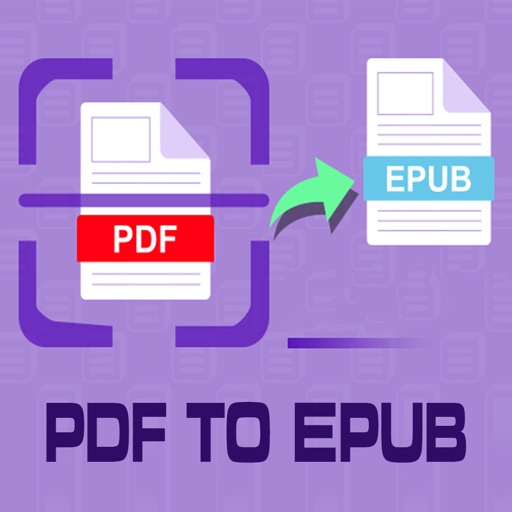
Convert PDF files to format for mobile reading. Edit text, adjust fonts, and customize margins. Export as and share or save to device. Supports iPad, iPhone, and ebook readers.
Scan documents quickly and save them as PDF or JPG. Rearrange pages before exporting. Share or email documents directly. Convert scanned pages into a single file. Edit layout and formatting. Export in multiple formats without cost.
Extract text from images and documents using OCR technology supporting 92 languages. Copy extracted text, scan documents, convert to PDF, and share results. Organize scans in folders. No cost for unlimited use.
Convert PDF files to images and text. Convert images, Word, Excel, text, and ZIP files to PDF. Unlock and password protect PDFs. Share converted files easily. Works offline with no file size or conversion limits.
Scans barcodes and QR codes in any orientation. Displays product details and compares prices across retailers. Saves scan history. Shares scans via text or email. Opens links in browser.
MergePDF! lets users combine multiple documents into one PDF. They can rearrange, delete, or add pages. Documents can be shared via email, AirDrop, and other apps.
, receipts, and notes into PDF, image, or text files. Save individual pages or create multi-page PDFs. Share scans directly or export to cloud storage. Sync with iCloud or preferred cloud services.
Edit PDFs by directly modifying text. Scan and convert documents to PDF. Organize files, add annotations, and sign documents. Share and export in multiple formats. Sync across iPhone, iPad, and Mac devices.
Scan documents, photos, and papers to create JPG or PDF files. Remove backgrounds and adjust image settings. Convert scanned images to editable text using OCR. Share documents and manage files within the . Edit Word and Excel files directly.
And store receipts, documents, and photos. Save scans locally and in the for cross-device access. Auto-crop images to remove noise and enhance clarity. Share scanned files directly via email or messaging apps.
Convert PDF documents to high-quality images. Extract clear photos from PDFs for reuse in office software. Edit, sign, and email converted files. Share via social networks or print/fax selected pages.
Convert images between , PNG, GIF, BMP, TIFF, HEIC, and PDF formats. Select output format and save converted to the gallery. Share images directly from the converted .
Arthur Eduardo Skaetta Alvarez Desenvolvimento de Software LTDA.
Create PDFs from photos or files
Create and edit PDFs by scanning documents or selecting images. Rename, merge, split, reorder, and rotate PDF pages. Export and share edited files directly.