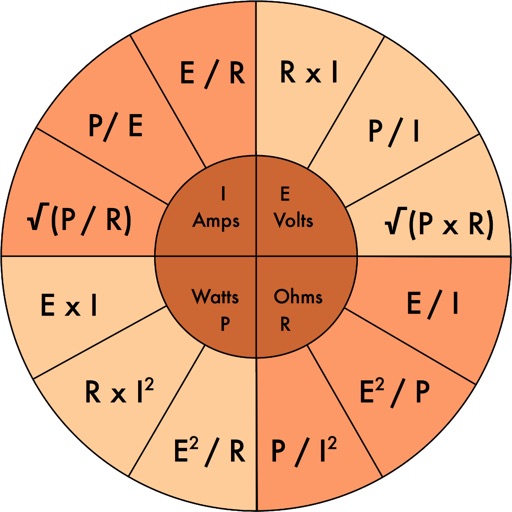
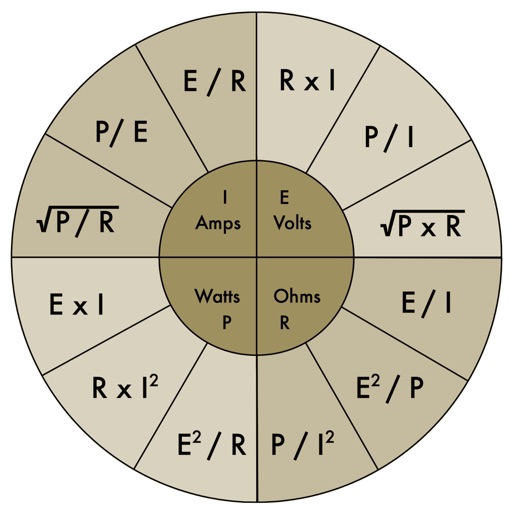
Allows users to calculate electrical values with tools like Power, Delta-Wye, AWG, Voltage Drop, Ampacity, THD, Resistor Code, and LED Info. Users input component values to get results. The supports dark and light themes.
by B&K Precision Corporation★ 5.07 ratingsEducationFreeData updated 2026-09-06
Build and simulate 3D electrical circuits with real-time voltage and current calculations. Drag and drop components to create custom circuits. Analyze results instantly with detailed visual feedback. Export schematics and share designs.
Perform electrical calculations including wire size, voltage drop, and conduit sizing. Customize material and temperature settings. Access NEC® 2023 tables, FAQs, and searchable articles. Calculate ampacity and use Ohm's Law.
Calculate based on voltage, current, distance, and voltage drop. Select units like AWG, mm, or inches. Choose material: copper, aluminum, or electrical steel. Ensure safe electrical installations for low voltage DC systems and residential AC wiring.
Access electrical codes and standards for residential, commercial, and industrial applications. Search for wiring diagrams, safety protocols, and equipment specifications. View detailed explanations of electrical systems and components.
Calculate and GPA with customizable icons and colors. Input assignments, extra credit, and weighted . Choose between different GPA scales and switch between light and dark modes. Access fast customer support for assistance.
Calculate tips and split bills with customizable percentages and group allocations. Enter total amounts and split costs evenly or manually. Round total values for easier handling. Share results via copy or email.
Perform electrical engineering calculations with and capacitor tools. Calculate filters, attenuators, rectifiers, and oscillators. Convert units like Lumen to Candela and Delta to Y. Analyze skin effect and PCB trace impedance.
Convert measurements between , , and centimeters. Input fractions or decimals for precise calculations. View results on a visual measure display. Perform addition, subtraction, multiplication, and division with measurement values.
Resistor Band Converter allows users to build resistors by selecting color bands and displays the resistance value. It also identifies color bands based on resistance input.
Determine resistor values by selecting ring colors and number of rings. Choose orientation with the larger gap on the right. Receive value, tolerance, and other details.