Access articles and videos on technology topics for learning and staying updated. Search by interest or topic. Discover new ideas and tips. Learn communication techniques to improve professional interactions.
by LJL3 Inc★ 4.621 ratingsEducationFreeData updated 2026-09-16
Access course schedules, grades, and announcements. View campus events and maps. Submit assignments and communicate with instructors. Check student resources and campus news.
Practice with feedback on tone, pace, and clarity. Record and replay sessions for self-assessment. Receive personalized coaching tips. Track progress over time. Integrate with calendar for scheduled practice. Share recordings for review.
Syncs highlights from Kindle, Apple Books, Instapaper, Pocket, Medium, Goodreads, and paper books. Users can build daily review habits through the and email. Highlights are reviewed daily to improve retention and memory of book content.
Create and project drawings in real time using augmented reality. Trace and sketch on surfaces with your device. Adjust colors and brush sizes. Save and share drawings. Sync with other devices for collaborative projects.
Access notes with concise commentary and cross-references. Search for verses and topics. View notes alongside scripture. Save favorite passages and organize study materials. Share notes via email or social media.
Access river-specific hatch charts and custom maps. View knot guides and water level data. Read gear reviews and tech tips. Find suggested patterns and additional resources for river activities.
Create interactive designs and prototypes on iPhone or iPad. Use simple design mode with access to over 1 million icons, fonts, and stock photos. Import sketches via photo capture. Export designs and share projects.
Teach children basic concepts through a logic-based game. Solve puzzles to guide animals to their destinations. Learn sequencing, loops, and problem-solving skills. Sync progress across devices. Share achievements with parents.
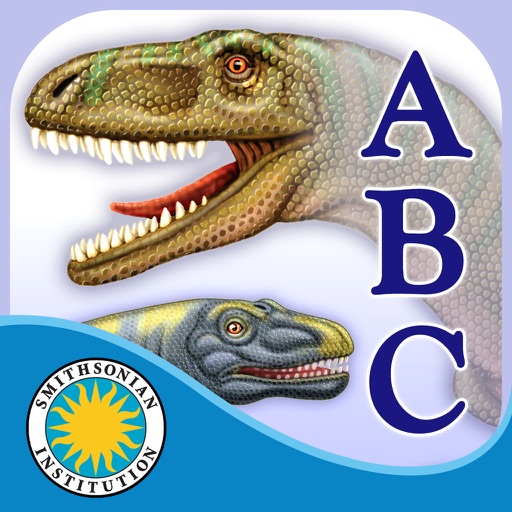
Explore dinosaur facts through interactive storytelling with highlighted narration and tappable vocabulary. Record and share personal narration. Navigate scenes easily. Encourage literacy and learning with engaging content.
Stay updated with school news, announcements, and event calendars. Access student grades and attendance records. Receive notifications from the front office and classroom. View schedules and manage communication with educators.
Learn languages through interactive conversations with an AI tutor. Practice speaking, listening, and responding in real-time. Receive instant feedback and corrections. Set learning goals and track progress.
Record and analyze classroom conversations to assess talk ratios, lesson design, and academic language use. Track questioning techniques, think time, and participation patterns.
The app follows the story of the Mosasaurus in the prehistoric sea. Users can explore pictures, learn new vocabulary, and record their own narration to personalize the story.