Apps Like FollowMe - Video Tracker for iPhone and iPad
Focus objects, track movement, set preferences
Edit videos by selecting a subject to focus on. The tracks the selected item automatically. Set preferences such as resolution and output format. Export the edited .
by Andrei Salavei★ 0.00 ratingsUtilitiesFreeData updated 2026-10-13
Edit videos with professional effects and animations
Create and edit videos with timeremap for beat synchronization and keyframe movement. Apply professional effects and rich presets. Export in HD quality. Add animations and adjust timing for dynamic creation.
MILKYWAY OYUN YAZILIM BILISIM SANAYI TICARET ANONIM SIRKETI
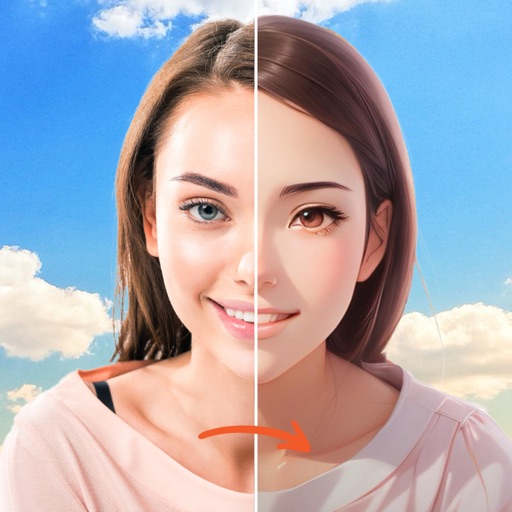
Swap faces, animate, and create videos
Create AI-generated videos by swapping faces in photos. Edit animations, adjust timing, and apply filters. Export videos to social media platforms. Share creations directly from the .
Edit videos with real-time filters and . Apply lenses like toonify, fire, Instagram, and vintage retro. Adjust colors and settings. Save and share edited videos.
Edit photos and videos with a variety of and effects. Apply trendy styles to enhance visuals. Create original content with editing tools. Export and share edited media directly. Sync with social platforms for seamless posting.
Faces in videos using AI technology. Select faces from photos or videos. Adjust alignment and expressions. Export edited videos in various formats. Share directly to social media or messaging apps.
Edit videos with real-time preview, trimming, and splitting. Add transitions, text, and stickers. Export in 4K resolution. Use external keyboard and mouse for efficient editing. Supports iPad, iPhone, and Mac with Apple M1 chip.
Edit videos by merging and combining clips, creating slideshows, and adding music. Apply filters and effects like Glitch, Retro, and VHS. Adjust tone with contrast and brightness controls.
Edit photos with unblur, object removal, and background cleanup tools. Apply AI filters, artistic styles, and motion effects. Create photo animations with one tap. Export and share edited images directly.
Compress videos by adjusting bitrate, resolution, frame rate, and media format. Export in various formats. Set custom compression settings for file size or quality. Save and share compressed videos directly.
Merge and audio by selecting multiple clips with original resolution. Add overlay shapes or filters. Choose background music. Tap Merge to . Save or share the result. Save projects to resume later. Switch between multiple projects.
Convert photos into videos with customizable templates like cartoon style, transformation, and dance. Add text, stickers, and background music. Export and share videos directly.
Edit WhatsApp statuses and stories with text, images, or videos. Save and share statuses directly. Modify profile pictures and bios. Manage content without leaving the . Export edited media files.
Create and edit videos by applying various effects to footage. Slice and rearrange clips from different times and spaces. Snap photos and record videos to share with others.
Record and stream high-quality video calls using iPhone as a webcam. Adjust lighting, background blur, and frame size. Support for multiple platforms and real-time effects. Share recordings directly from the .
Record videos with adjustable resolution, frame rate, and bitrate. Select from multiple aspect ratios. Pause and resume recording. Use time-lapse mode. Export videos in various formats.
Adjust exposure, focus, and white balance manually. Control shutter speed and ISO settings. Use a gray card for accurate white balance calibration. Capture high-quality photos with full manual camera controls.
Create slideshows using templates and edit photos with advanced tools. Add text, stickers, and filters. Share directly to social media with pre-set tags. Edit and export videos in multiple formats.
Faces in photos and videos with a single tap. Use AI to generate realistic swaps quickly. Choose from multiple templates to customize results. Export edited content directly to social media platforms.