
Apps Like Simple Blackboard for iPhone and iPad
Draw on or whiteboard
Draw on a or whiteboard with adjustable brush sizes and multiple paint colors. Create shapes like lines, arrows, circles, and polygons. Add text with customizable font sizes. Import photos and record video directly within the .
Simple Blackboard screenshots
Ranked alternatives
Showing 461–480 of 1,000 ranked alternatives.
Fruits And Vegetables Phonics Coloring Book: English Vocabulary Learning Free For Toddlers & Kids!
sathaporn khwannakorn


Larynx ID
Blue Tree Publishing, Inc.
Learn larynx structure identification easily.
The app presents anatomical illustrations of the larynx with multiple views and identification features. It includes animated diagrams and a drawing whiteboard for educational purposes.



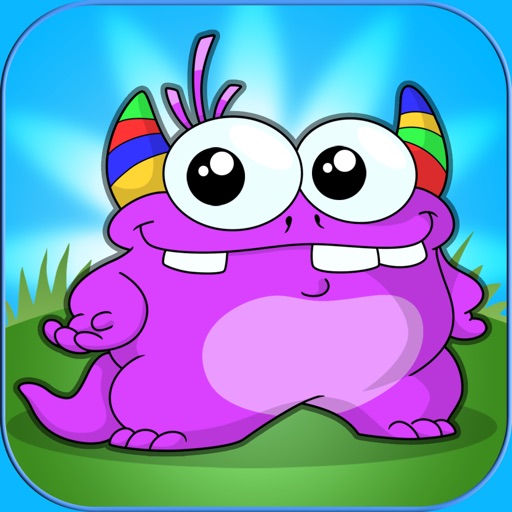
The Monster Coloring Book
KID BABY TODDLER LTD.
Coloring fun with lovable monsters.
The app offers over 150 coloring screens with 50 lovable monsters across six different games. Users can engage in magic draw, coloring book, magic maze, sticker book, mix and match, and monster run activities.

Pixel Playground Lite
Studio Mee
Powerful, beautiful, and simple pixel art.
The app offers a simple and clean interface with intuitive tools for pixel art creation. It features freehand drawing, lines, boxes, ellipses, and flood-fill, along with gesture controls for precise editing.
Corel Painter Essentials
Corel Corporation.
Sketch, draw, and paint digitally
Create digital art with natural-media brushes and exclusive media types. Sketch, draw, and paint on a blank canvas. Transform photos into artwork using AI and cloning tools. Access advanced features with a subscription.

Coach Tactic Board: Basket++
Grzegorz Kipa
Tactical whiteboard for every coach.
The app provides tools for creating animated plays and designing drills with various equipment. It allows users to organize tactics by opponent, match, or training session and manage teams and players.
PDF Markup & Annotation Maker
Ruchira Ramesh
Edit PDF text, highlight, and customize notes
Edit PDF documents by adding text, highlights, underlines, and shapes. Customize text with fonts, sizes, colors, and transparency. Annotate pages to emphasize key information and improve clarity for notes, documentation, or presentations.

How we rank alternatives
Apps are ranked by functional similarity, category fit, rating confidence, and popularity.