Apps Like MoodStream - Dump With Friends for iPhone and iPad
Dump photos and videos into streams
Create and share streams of photos and videos organized by themes like food, travel, or fashion. Users can add content to streams, invite to contribute, and follow others' streams to view their curated content.
by Moody Labs Inc.★ 4.778 ratingsPhoto & VideoFreeData updated 2026-09-15
Edit photos with AI-powered tools to remove backgrounds, generate avatars, and enhance image quality. Add filters, adjust colors, and crop images. Save and share edited photos directly.
Vlmedia Yazilim Tanitim Bilisim Danismanlik Ic Ve Dis Ticaret Anonim Sirketi
, , connect
Watch streams from users worldwide and go to share your own content. with others via calls. Use gender filters to connect with specific audiences. Translate text in real time. Add short videos to your profile. Follow friends to call them anytime.
Watch live streams and interact with comments and gifts. Invite friends from X to join. Add streams to notification lists for updates. Connect with X to follow live events.
The app allows users to create slideshows using photos and videos from their camera roll. Users can add their own music and select from various moods, filters, and transitions to personalize their creations before saving and sharing.
Record and switch between multiple camera angles in real time. Stream to multiple social platforms simultaneously. Edit videos with basic trimming and effects. Share streams directly to platforms like Facebook, YouTube, and Instagram.
COSMOS OYUN YAZILIM DANISMANLIK SANAYI TICARET LIMITED SIRKETI
Generate videos and photos with AI
Create AI videos and photos using text or image prompts. Generate realistic videos instantly. Swap faces and design content quickly. Export and share high-quality results.
Create collages by combining photos and videos with over 400 layouts. Apply filters, borders, and edit images or videos. Add music to collages. Share finished projects directly.
Cast photos and videos from a smartphone to a TV via . Share personal media, stream web videos, and access IPTV content. Mirror content without requiring AirPlay.
Share photos and videos privately with selected and friends. Invite others to view, react, and comment on content. Organize media in a personal gallery for easy access and management.
Remove unwanted photos, videos, and screenshots using AI analysis. Identify duplicates, blurry images, and random files. Delete or archive selected items to free up storage space. Organize media into folders and manage file retention settings.
Create animated photos by adding motion to selected elements. Choose animation styles, adjust timing, and export as video or GIF. Share directly to social media or save for later.
View live streams and chat with emotes from 7TV, BTTV, and FFZ. Browse followed, top, and categorized streams. Autocomplete emotes and mentions. Switch between light, dark, and black themes. Search for channels and categories.
Watch live streams for expert news analysis. Customize content preferences. Donate securely. Receive real-time updates. Engage with petitions and track progress. View daily programs and archived content. Set notifications for critical alerts.
Send friend requests by swiping right. Chat with accepted connections and view each other's social media. Customize profiles with photos, videos, bios, and color themes. Earn gems to send swipes.
Stream content by playing games, using apps, or creating videos. Share live streams with others globally. Access a variety of interactive activities like vlogging or building Legos. Start streaming with three simple taps.
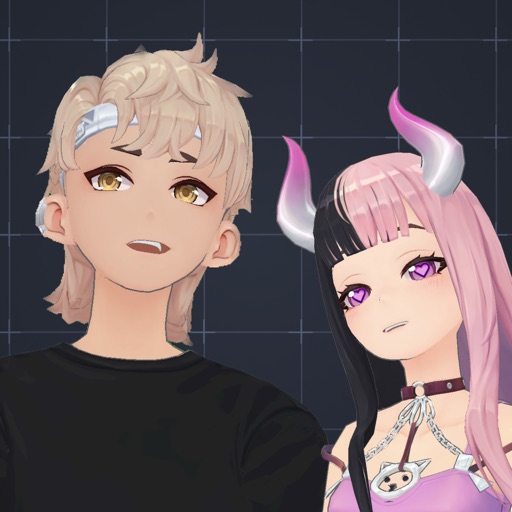
Create and customize 3D avatars using built-in tools or imported VRoid files. Record and stream content with real-time facial and hand motion capture. Share videos directly to TikTok, Twitch, Twitter, or other platforms.
Allows users to videos and live content via RTMP. It supports 360-degree video playback for URLs containing "360" in the path. Users can media files and streams directly within the .
Edit photos with filters, cropping, and adjustments. Add text, stickers, and frames. Create collages by combining multiple images. Share directly to social media. Apply effects and choose from various fonts and stickers.
Create filters and share them with friends. Edit photos and videos with trending effects, stickers, and tools. Apply creative filters and adjust colors. Save and share edited content directly.