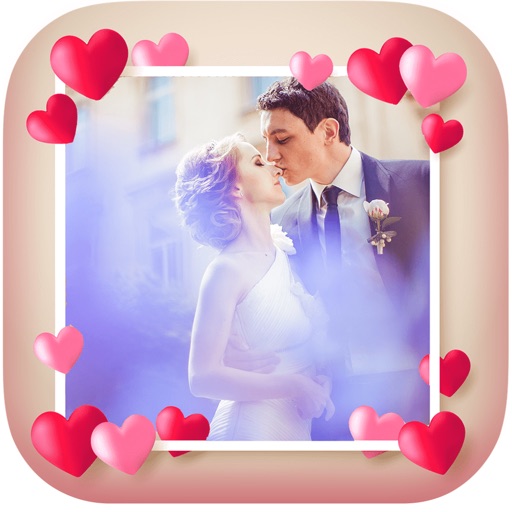
Create holiday e-cards by selecting from 40+ photo frame templates. Choose a photo from the gallery or camera. Apply effects to personalize cards. Save and share finished designs.
Edit photos by applying 40+ overlay effects and adjusting transparency. Add light effects for enhanced visuals. Save edited photos and share them directly.
Create scary images by adding ghosts, snakes, and other effects. Crop and resize photos freely. Position and rotate guides. Apply effects and edit directly. Share via Facebook, Twitter, or email.
Edit photos with customizable filters, presets, and effects. Adjust brightness, contrast, and saturation. Add text, stickers, and frames. Export in various formats and share directly.
Edit photos with splash effects, convert images to black and white, or apply custom colors. Add filters, zoom in on photos, and use a brush tool. Export and share edited images directly.
Blurify allows users to specific areas of a or the entire background. They can select from various brush types and shapes to apply . Adjust the intensity using a slider. Pre-set effects can be applied for different styles.
Enhance low-quality photos using machine learning. Import images from gallery or capture new ones with camera. Tap a button to automatically improve resolution. Compare before and after enhancements in real time.
Select and edit photos from the album or camera. Use the lasso tool to draw a closed path for blurring. Adjust difficult areas with the Touch feature. Apply over 30 effects and fine-tune the selection.
Edit photos and selfies with AI-powered art filters and effects. Choose from over 40 art styles to create fine art paintings. Share edited artworks on social media with the # hashtag.
Take photos with front- and rear-facing cameras. Apply real-time effects like Twirl, Light Tunnel, X-Ray, Squeeze, and Kaleidoscope. Share photos via AirDrop, Mail, Messages, iCloud, or social networks.
Apply winter-themed to images. Adjust frame opacity and position. Share edited photos directly. Add text overlays and decorative elements. Export in various formats.
The app joins photos vertically, horizontally, or in 2D by blending or abutting them. Users can edit individual photos or the blend output in the image editor, supporting up to 16 photos.
Apply real-time or post-processing effects like VHS, , CRT, and chromatic distortion to photos and videos. Adjust flickering overlays and vintage shaders. Export edited content in various formats and share directly.
Create -themed collages using 100+ available frames. Add text with customizable fonts and colors. Adjust opacity and rotate images. Select photos from gallery or camera. Apply effects to enhance visuals.
Allows users to or unblur specific areas of an image. Select photos from the gallery or capture new ones with the camera. Apply effects and save edited images to the gallery. Share blurred photos on social media platforms like Facebook and Instagram.