Create 3D images using one or two devices. Capture photos simultaneously with two devices. View 3D images by crossing eyes. Includes tutorial for cross-viewing technique. Preview 3D images before finalizing. Share 3D photos directly.
by Kevin Anderson★ 4.851 ratingsPhoto & VideoFreeData updated 2026-09-15
Enhance images with AI-powered upscaling. Fix blurry photos by sharpening and clarifying them. Restore old and faded images using AI restoration. Increase resolution for clearer details. Adjust brightness, contrast, and color balance.
Create interactive logs by mapping photos to locations using embedded GPS or manual input. Annotate images with text, tags, and notes. Share mapped journeys and view detailed location-based stories.
Unwanted objects from photos using AI-powered erasing tools. Edit images with cropping, filters, and adjustments. Retouch photos by removing people or backgrounds. Share edited images directly.
AI Enhancer improves quality using artificial intelligence. Enhance clarity, sharpness, and lighting with one tap. Upscale images to increase resolution without quality loss. Automatically enhance faces and remove blemishes.
Record stop videos by capturing sequential photos with manual control over interval, duration, and resolution. Adjust lighting, focus, and exposure settings. Export in various video formats and share directly.
Create long drawings with customizable styles, text, and background colors. Edit photos using filters, stickers, and matting tools. Cut images into various layouts for sharing. Design custom stickers and save screenshots or tutorials.
Edit photos with customizable and PIPs. Add stickers and create collages. Choose from global landmarks as backgrounds. Save and share edited images directly.
Edit photos using AI to create customizable avatars. Upload images and select from various styles to personalize avatars. Share avatars on social media and save them for later use.
Take photos using both front and back cameras simultaneously. self-portraits and surroundings in one shot. Edit images with basic adjustments. Share photos directly from the .
View 3D images in various formats including MPO, Side by Side, Top/Bottom, and interleaved stereo pairs. Supports JPG, JPS, PNG, TIFF, animated GIF, and anaglyphs. Play slideshow from web pages or drag images from other apps.
Capture infrared light using specialized filters to create surreal, colorful images. Adjust balance and exposure settings. Export photos in various formats and share directly.
Edit photos by blending images from gallery or camera. Apply to merge pictures creatively. Adjust opacity and positioning for custom blends. Save and share edited photos directly.
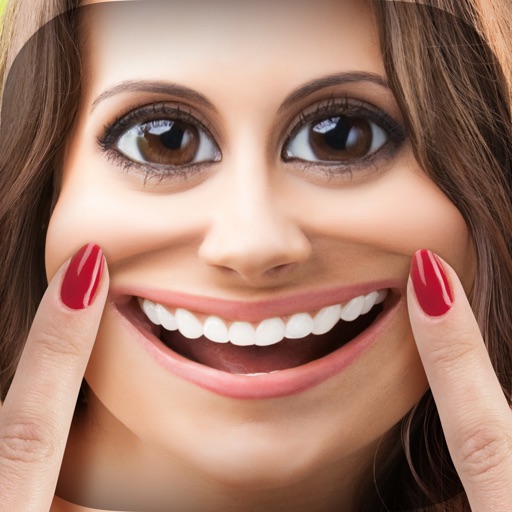
Edit photos with , bend, and distortion tools. Apply one-click makeovers for facial and body changes. Adjust body shape, slim down, or enlarge features. Save and share modified images.
Combine videos by selecting clips and specifying duration. Rearrange clips using drag-and-drop. Choose output sizes like 16:9, square, or 3:4. Export and share the final .