Use beats for timing practice, songwriting, and live performances. Adjust tempo and select different patterns. Jam with others or record sessions. Sync with audio apps for seamless integration.
Practice+ offers tuning, , recording, setlist, and loop modes for musicians. Users can control the with a visible bar. Features include simultaneous mode usage, audio recording, and setlist management for practice and performance.
Music with audio playback, metronome, and loop functions. melodies by tapping notes. Adjust tempo and key. Record and playback sessions. Share recordings with teachers or peers. Sync with Apple Health for activity tracking.
Create backing tracks by uploading songs and isolating instruments like vocals, drums, bass, and guitar. Adjust volume levels for each track. with tempo control, track time spent, and organize song lists for focused sessions.
Create and share music tracks via SoundCloud, Dropbox, or Google Drive. Search for by instrument and genre. Connect with others to collaborate or form bands. View profiles, listen to uploaded songs, and message potential bandmates.
Transcribe+ allows users to isolate vocals, drums, bass, and other instruments using on-device AI. Adjust and pitch with swipe gestures. Pause and drag the waveform to listen to specific sections.
Create music with a wide range of instruments, loops, and samples. Record and edit tracks. Export projects in multiple formats. Collaborate in real-time with others. Access advanced mixing and mastering tools.
Play and practice digital with adjustable tempo and pitch. Create and manage set lists. Access a large collection of high-quality and arrangements. Annotate and save notes. Sync across devices. Export as PDF or image. Share scores with others.
Allows users to slow down audio, loop specific sections, and adjust pitch. They can isolate instruments using EQ, tempo while preserving sound quality, and export loops for practice.
Access from iTunes and iCloud libraries. Mix tracks with crossfade effects. Adjust tempo and pitch in real-time. Use built-in melodies and sound effects. Create custom remixes and save projects. Share mixed tracks directly.
Play and practice with a wide selection of songs. Access over 10,000 tones via the BIAS tone engine. Automatically display chords for songs in real-time. Adjust tempo or loop sections for practice. Sync with the amp for jamming.
View and annotate PDF sheet music. Sync scores across devices. Copy PDFs from other apps. Organize and access scores instantly. Play and practice music directly on the device. Highlight and bookmark sections for quick reference.
Practice music with interactive exercises, metronome, and playback controls. Transcribe melodies by tapping notes. Play along with backing tracks and adjust tempo. Save and organize practice sessions. Export recordings and share progress.
Through structured lessons and guided practice. Access video tutorials, chord charts, and songplay guides. Track progress, set practice goals, and receive feedback from instructors. Sync with devices for offline access.
Use AI to separate vocals from tracks. Edit audio by isolating instruments or removing vocals. View real-time lyrics during playback. Export modified tracks in various formats. Share edited content directly.
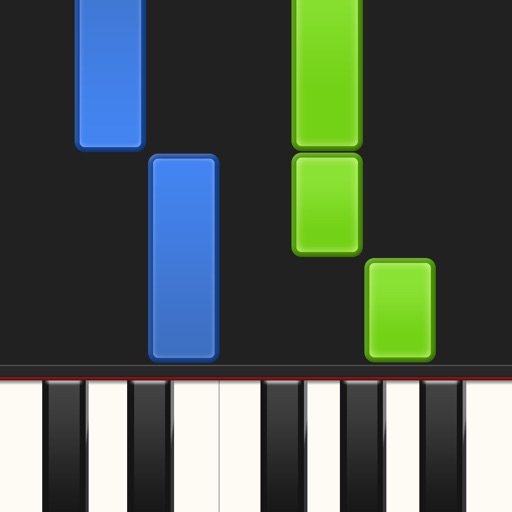
Learn piano by playing falling notes on touchscreen or connected keyboard. Practice melodies with real-time note feedback. Play left or right hand separately. Sync with lighted keyboards. View sheet music or falling note blocks.