Create long drawings with customizable styles, text, and background colors. Edit photos using filters, stickers, and matting tools. Cut images into various layouts for sharing. Design custom stickers and save screenshots or tutorials.
by 明 陈★ 4.77 ratingsGraphics & DesignFreeData updated 2026-09-15
Design countryball characters with customizable features like clothing, accessories, and background elements. Add text, stroke colorizing, and flag designs. Share creations directly with others.
Edit photos with 30+ film effects and 180+ light leak effects. Add dates to images. Edit photos from the Camera Roll. Simulate a 1990s film camera experience.
Create and edit art with intuitive controls. Use advanced tools for detailed modeling. Import and export models in formats like VOX, OBJ, and JPEG. Move, rotate, and duplicate voxels. Cut, copy, and paste parts of models.
Upload and transform photos into cartoon styles with adjustable details and filters. Create avatars in anime, K-Pop, or manga styles. Edit cartoon images by adding text, stickers, and adjusting colors. Save and share transformed images directly.
Edit photos with , effects, focus, frames, stickers, and text. Crop, adjust orientation, enhance images with Hi-Def, Scenery, Food, Portrait, or Night modes. Apply stylized , add stickers and overlays, and remove red eye or blemishes.
Edit photos using 300+ Lightroom for iPhone, including Portrait, Cinematic, Natural, Retro, and Instastyle filters. Apply instantly or export to Lightroom. Preview and organize across multiple categories.
Create posters, flyers, stories, and posts using an intuitive editing panel. Access customizable templates to design eye-catching visuals. Adjust colors, fonts, and layouts to convey messages effectively.
The app offers tools for photo editing, including auto enhance, meme generation, stickers, frames, and text. Users can adjust color balance, saturation, and sharpness, and crop or rotate images.
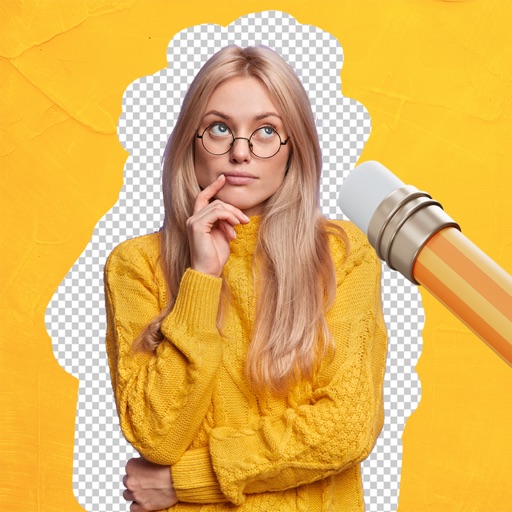
Remove backgrounds from images using AI-powered tools. Select areas to erase and automatically cut out subjects. Export as transparent PNG files. Adjust edges and refine results manually. Share edited images directly.
Create art with interactive brushes like slime, tie-dye, and fire. Design with mini games such as Friendship Bracelet Creator. Use art history themed stickers and seasonal holiday packs. Choose from 150+ colors including pastels and neons.
Create collages by arranging photos, text, and stickers. Edit images with cropping, filters, and adjustments. Design carousels to share stories. Add frames, borders, and backgrounds. Export and share finished projects directly.
The app offers on-device photo editing with AI features like background removal and auto-enhancement. It includes over 38 filters, stickers, text editing, and export options for HEIC, JPEG, or PNG formats.
Edit photos with skin smoothing, facial reshaping, and expression adjustments. Add text overlays and filters. Export in various formats and share directly.
And paint with a variety of tools including pens, lines, arrows, rectangles, ellipses, and text. Apply effects, adjust colors, and use filters. Crop, enhance, and add stickers to artwork.
Create art by writing your and applying a focus filter. Add text and artistic elements to design a painting. Save or share the artwork as a profile picture, banner, or social media message. Customize the canvas with various styles and colors.
Edit photos with blurring using machine learning. Apply filters and stickers from pre-designed templates. Customize images by adding text and effects. Share edited photos directly.
Photo backgrounds using AI-powered object recognition and automatic cutting. Edit images to create transparent backgrounds. Erase objects or elements with realistic results. Save and share edited images directly.