Play audio and sound effects simultaneously. Start shows with a single press. Supports iPad, iPhone, and iPod touch. Free for one show; purchase for unlimited shows. Used for theater, dance recitals, weddings, and church services.
Record audio with one-touch start and stop. Playback and record simultaneously in the background. Pause and resume recordings. Save in compressed MP3 format. Capture voice memos, meetings, or notes with high-quality audio.
Record notes with high-quality audio capture. Convert recordings to text automatically. Edit and organize audio files. Share recordings directly or export in various formats.
Create music by touching the screen to play notes and adjust sounds. Use multi-touch surfaces like radar, ribbon, or keyboard. Move fingers to modify tones. The semi-generative engine selects suitable notes automatically.
Create music by tapping colorful cells on a grid, each representing a different sound. Use multiple instrument layers including drums, bass, and synths. Access a professional sound library with high-quality samples. Record and save compositions.
Create beats using professional studio samples and preset kits. Record and share beats with friends or the community via social media. Access tutorials and videos to learn production. Apply effects to enhance beats.
Create musical sketches and chiptunes using a pattern-based sequencer and high-quality sampler. Record sounds from microphone or line-in. Export in WAV or XM formats. Import and export audio files. Support MIDI keyboard input.
Manage and organize music files. Play tracks without internet. Stream HD music videos. Access global radio stations. Organize playlists. Control playback with buttons. Sync device storage. Import music files. Play music in background.
Record and playback audio samples with a multi-octave on-screen keyboard or MIDI device. Save, load, and reverse samples. Loop samples in forward, reverse, or forward-reverse modes. Apply reverb, resonant filter, and sample rate/bit crusher effects.
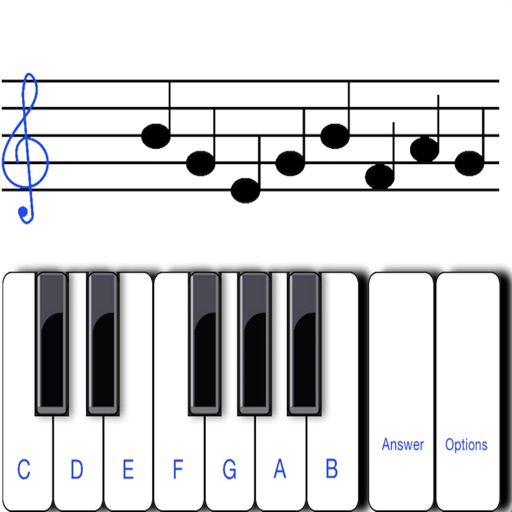
To notes in G and F clefs. Practice notes above and below the staff across six octaves. Randomly generated notes apply to any instrument. Switch clefs for varied practice. Receive feedback on missed notes. Set pace and limit octaves for beginners.
Import videos and apply effects with presets like Small Room, Medium Hall, or Cathedral. Adjust Wet/Dry settings or create custom and delay. Export as original size, lower file size, or audio-only. Save or share the processed .