Play FLAC and other audio files with lossless sound quality. Stream or download songs from NAS or cloud storage. Organize into categories and create custom playlists. Adjust equalizer and bass booster settings.
Stream music wirelessly over Wi-Fi to compatible speakers. Control playback, adjust volume, and manage playlists. Access a library of songs and podcasts. Sync with devices to music in multiple rooms.
Create custom ringtones from songs or videos. Trim audio clips and set start/end points. Adjust volume and add effects. Save ringtones directly to iPhone. Share ringtones via messages or social media. Manage and organize saved ringtones in a library.
To 1000% with a swipe. Adjust equalizer settings to customize sound quality. Enhance audio from files, videos, or radio streams. Apply preset or custom equalizer profiles. Control playback and directly within the .
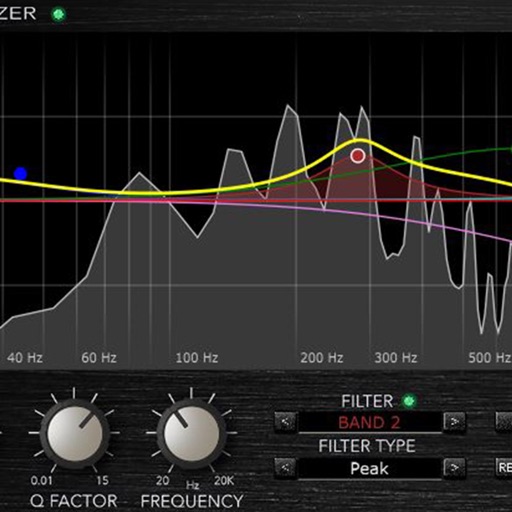
Adjust audio frequencies with six filter bands. Control low and high cut filters with adjustable Q. Use two bell filters and low/high shelf filters. Customize resonance and frequency settings. Apply equalization within an audio unit host application.
Create and save multi-track music projects on iPad, iPhone, or Mac. Record and import audio tracks, browse samples with previews, apply effects, and use high-quality synthesizers and drum kits. Edit, mix, and render complete songs.
Files with cutting, copying, pasting, trimming, fading, and silence tools. Apply sound effects like pitch, reverb, delay, and adjust EQ for professional tuning. Record voice or and save in various formats.
Enhance audio beyond standard levels. Intensify for deeper sound. Adjust equalizer settings to customize audio quality. Personalize listening experience for music, podcasts, and videos.
Play the oud instrument with realistic acoustic sound. Access scales and notes for practice. Record and share music on social media. Use a piano interface with oud sounds. Manage audio files and engage with interactive features.
Create and with touchable waveforms and real-time loop building. Slice and rearrange sounds across genres. voice or other sounds to develop musical ideas. Export and share finished tracks.
Stream wirelessly to compatible speakers via Wi-Fi. playback, adjust volume, and manage playlists. Access a library of songs and podcasts. Sync with DTS Play-Fi enabled devices for high-quality audio across multiple rooms.
Adjust equalizer settings for precise sound control
Audio player with 16-band equalizer for custom sound adjustment. Users can set each band using a visual curve or graphic mode. Auto gain adjustment prevents distortion. Preset EQ settings match song metadata like genre or artist.
Load and manage impulse response files for audio equipment. Adjust cabinet sounds with a 6 band parametric equalizer and graphic EQ. Use a custom compressor with side chain filter and bass enhancer.