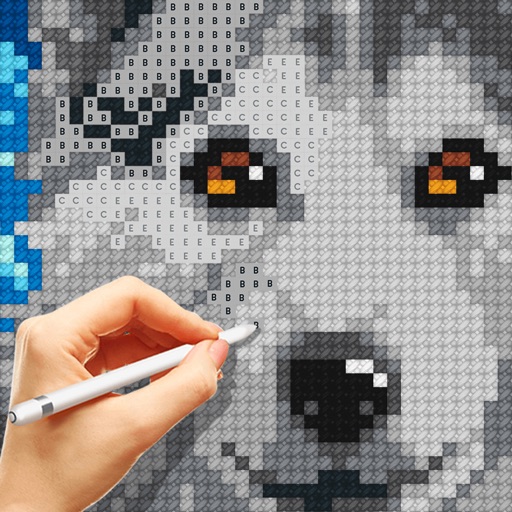
Apps Like Cross Stitch: Coloring Art for iPhone and iPad
Color patterns, choose designs, create art
Color images using -stitch patterns from categories like animals, flowers, and landscapes. Import personal images or select from a gallery. Create custom artworks and save progress. Share finished pieces.
by PLAYCUS LIMITED★ 4.64,516 ratingsGamesFreeData updated 2026-09-15
Color images using -stitch patterns from categories like animals, flowers, and landscapes. Import personal images or select from gallery patterns. Save and share completed artworks. Track progress and customize stitch details.
Learn techniques through interactive tutorials. Create custom patterns by selecting colors and stitches. Save and share designs. Track progress and adjust patterns for different fabric sizes.
Create pixel art by tapping and coloring by number. Select from a bright color palette to match designs. Access a wide variety of original, high-quality images. Save and share completed artwork.
Create digital -stitch projects by selecting colors and tapping to place stitches. Choose from thousands of patterns including animals, landscapes, and artwork. View progress as images form square by square. Save and share completed designs.
Create and complete -stitch patterns by placing colored stitches in designated spots. Import custom images to stitch. Choose from thousands of pre-designed patterns. Track progress and practice concentration through interactive coloring.
Pages feature popular characters from Frozen, Pixar, and Marvel. Users can select from brushes, crayons, and glitter to color. The Magic Color tool fills in sections automatically. Characters can be dressed with customizable outfits.
Color and patterns with one finger. Choose from hundreds of designs or create custom ones. Track progress and save projects. Includes calming sounds and guided relaxation sessions. Share completed work with others.
And create art with a variety of pre-designed images including mandalas, animals, and flowers. Build a garden, earn rewards, and access daily updated coloring pages. Share finished artwork and customize palettes.
Create art by following numbered grids. Choose from pre-designed images or generate custom designs using AI. Adjust colors and save projects. Share artwork directly or export in various formats.
Solve puzzles by filling numbered grids with embroidery patterns. Complete Hoops by eliminating gaps in levels. Create landscapes, animals, and objects through pattern solving. Track progress across multiple difficulty levels.
Complete - patterns by matching colors in squares. Choose from themes like food, animals, and landscapes. Import personal images as patterns. Use three pattern sizes. Access intuitive UI with no cost for patterns.
Offers interactive learning activities for children aged 2–8. Features include watching shows, listening to songs, and playing coloring and cooking games. Includes Disney-themed content such as Mickey & Friends, Moana, and Frozen.
By number images allow users to select and fill in numbered sections with colors. Import personal images to create custom puzzles. Share completed artwork with a community. Track progress and view completed artworks.
By puzzles let users fill in numbered sections to create images. Choose from nature, mandalas, animals, and other themes. Save and share completed artwork. Access a library of pre-designed puzzles.
Pages feature characters from Frozen, Princesses, Mickey, Stitch, Pixar, Star Wars, and Marvel. Users can select from over 2000 pages. Art tools include brushes, crayons, glitter, patterns, and stamps. The Magic Color tool allows precise .
Coloring pages allow users to animals, flowers, nature scenes, people, places, mandalas, and more. Follow numbered grids to fill in colors. Save progress and share completed artwork.