
Calculator· - Easy to Use
Netviking AB
Calculate with big buttons and clear display
A calculator with large buttons and a big display. Perform addition, subtraction, multiplication, and division. Features a Retina display for clear viewing.

Remap buttons, tweak settings, create profiles
Customize buttons and analog thumbstick settings. Create and manage on-board profiles. Adjust advanced features like d-pad SOCD cleaning. Remap controls for different games or tasks.
Showing 141–160 of 1,000 ranked alternatives.
Netviking AB
Calculate with big buttons and clear display
A calculator with large buttons and a big display. Perform addition, subtraction, multiplication, and division. Features a Retina display for clear viewing.


红秀 潘
Customize with equalizer settings
Adjust settings with customizable equalizer presets. Boost , adjust treble, and fine-tune frequencies for different music genres. Compatible with various music apps for enhanced sound quality.



The Basketball Temple LLC
Control scoreboards and sync stats remotely
Control scoreboards and camera devices by syncing scores and statistics across supported equipment. Adjust settings via touch or swipe. Use labeled buttons for direct control. Manage live game data and update displays remotely.

ITincubator UAB
Clean speakers, optimize audio quality
Clean speakers with auto cleaning modes: Light, Normal, or Intensive. Remove noise and enhance audio clarity. Adjust equalizer settings for personalized sound. Schedule cleaning tasks and monitor performance metrics.
Erik Minass
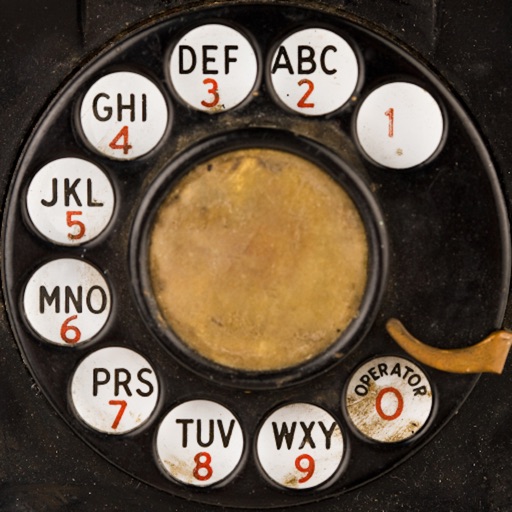
Dial numbers with physical buttons
Dial numbers using physical buttons and sound effects. Set volume for sound effects and enable touch tone for faster dialing. Make calls without a touchscreen. Memorize numbers by heart. Pause to think before dialing. Relive vintage phone experience.

繁贰 曾
Control devices via Bluetooth
Control devices via Bluetooth connection. Customize preferred settings and adjust intensity levels. Add friends to share experiences. Manage device functions through the interface.

Tom Kerrigan
Calculate with swipe gestures and large buttons
Perform calculations using reverse Polish notation. Swipe to undo or redo operations. Access a 100-entry stack and 6 memory buttons. View large, easy-to-read displays. Save state on exit. Supports scientific functions and multiple undo/redo levels.


TVAPP Media UG (haftungsbeschraenkt)
Control your TV with swipe or D-pad
Control TV remotely using a smartphone. Navigate with D-pad or swipe gestures. Type on the TV using your phone's keyboard. Access apps and websites with single taps. Customize order and connect to multiple TVs. Add custom apps and websites.

WestTel Limited dba Logic
Control Wi-Fi, manage devices, set profiles
Control Wi-Fi access remotely from any location. Manage parental controls and guest networks. View connected devices and network security settings. Create custom user profiles and adjust network preferences.

SUPERNOVA NEBULA LLC
Manage meta settings and customize configurations
View running information at any time using a built-in board. Support full metadata functions and powerful overwrite capabilities with customization options. Manage settings and access official website links for additional features.

Bitco Software LLC
Drag results to memory buttons
Perform calculations and copy results to the clipboard. Use memory buttons to store and reuse values. Convert units, calculate debt with amortization schedules, and access current currency rates.

Rosario Keebler
Clean speakers for clearer sound
Test speakers in real-time to check sound quality. Clean grime with guided cleaning steps. Adjust audio settings for clearer sound. Monitor health and receive maintenance alerts.

Yarbo Inc.
Plan, control, and track tasks
Control robotics by planning snow removal areas, managing total area coverage, and creating automatic plans. Monitor progress in real-time, use manual control, locate the robot, manage user profiles, and enable auto return charging.

Imaginando Lda
Control effects with X/Y pad
Control effects using X/Y pads for parameter adjustment. Manage decks, loops, and mixers with a jog dial. Assign effects to decks and apply them instantly. No external setup required.
Chris Jones
Customize lighting scenes and control brightness
Control multiple lighting zones independently. Adjust brightness, color temperature, and hues across different areas. Create and save custom lighting scenes for various moods and activities. Sync lighting changes with music or schedules.
Apps are ranked by functional similarity, category fit, rating confidence, and popularity.