Manage multiple accounts on a single device with QR code scanning for quick access. Switch between accounts seamlessly. Lock the with a password to secure personal data and prevent unauthorized access.
Manage accounts on a single device. Switch between personal and professional accounts seamlessly. Send and receive messages independently for each . Access chat history and notifications separately for both accounts.
Connect WhatsApp via web on iPad with minimal setup. Set chat reminders and protect conversations. Anonymously chat with users by sharing WhatsApp numbers without logging in. Enter nicknames to identify participants.
Send and receive messages with quick reply options for common responses. Schedule messages to send at specific times. Create and share AI-generated stickers. Manage conversations without cluttering contact lists. Automate responses for efficiency.
Manage two WhatsApp accounts simultaneously without a second device. Send messages directly to any phone number. Access a library of quotes to update your status. View and respond to messages privately.
Manage two WhatsApp accounts on one device. Send and receive messages, view conversations, and access chat history. Switch between accounts easily. Sync messages with your phone securely.
Transfer personal data between phones using QR code scanning. Copy contacts, photos, and videos without wires or additional equipment. Access data backup through Cloud.
View and organize WhatsApp statuses with one tap. Share and images instantly. Access WhatsApp Web Messenger for browser-based messaging. Enable Dual WhatsApp Support for managing multiple accounts.
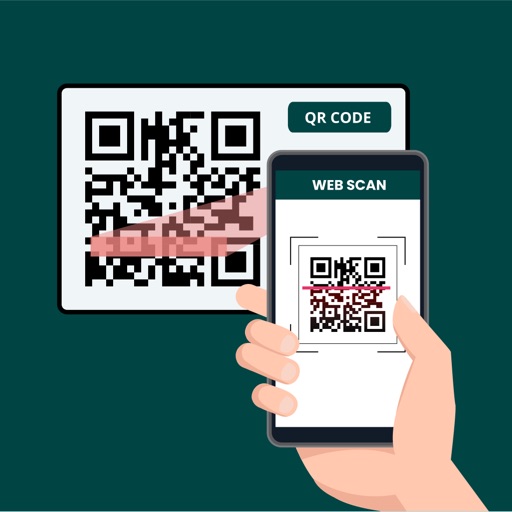
Manage WhatsApp Web sessions by scanning QR codes to log in. Open and switch between multiple WhatsApp accounts. Use dual messenger features to manage separate chats or devices. Sync messages across devices and access chat history remotely.
Scan QR codes and barcodes to retrieve information from Amazon, eBay, and Google. Create and share QR codes for URLs, WiFi, events, and VCards. Manage inventory using business mode. Edit and save scanned results.
Log in to multiple accounts on a single device or use one account across multiple devices. Stitch photos into a single long screenshot. Customize chat avatars and select from various fonts for messages.
Send and receive large up to 200 GB in one . Share photos and videos in original format with EXIF metadata preserved. Check download status, forward, and delete transfers from the phone. Access and links from previous laptop transfers.
Secure internet connections with a VPN that hides IP addresses and encrypts data. Change to access geo-restricted content. Enable kill switch to block internet access if the VPN connection drops. Protect data on public WiFi and mobile networks.
Save WhatsApp statuses by opening WA Web, scanning a QR code, and logging in. Watch statuses and save images or videos with a button. Repost saved content directly. Sync with WA Business accounts to save stories.
Read and QR codes to access information. Save scanned websites to favorites for quick recall. Share scanned content via links or email. Navigate to URLs directly from the .
And view WhatsApp stories and statuses with photo and video support. Scan QR codes for quick setup. Access maker tools. Premium subscribers get AI chat helper for translation and response suggestions. Compatible with iPad.
LUNAPARK MEDYA INTERNET TEKNOLOJILERI SANAYI VE TICARET ANONIM SIRKETI
Fax documents your device
Scan documents using built-in scanner or select files iCloud, Google Drive, or Dropbox. Fax sent with a few taps. Add images camera roll. Send faxes directly device without needing a physical fax machine.