Write, research, revise, and share with advanced formatting and support. Edit documents, organize notes, and sync with Dropbox. Customize themes and use keyboard shortcuts for efficient workflow.
Edit images with drawing tools like rectangles, ovals, arrows, lines, and text. Add notes and highlights. Adjust colors and brightness. Save and share annotated images directly.
Use iPhone or iPad as a USB for macOS. Capture 4K video at up to 60 FPS. Adjust lighting, focus, and exposure remotely. Control camera settings via connected devices. Stream video calls and online events with professional quality.
Create detailed technical illustrations and artistic designs with vector editing tools. Draw, reshape, and color elements with precision. Import and export files in multiple formats. Use layers, masks, and effects for advanced design work.
Adapts its interface in real time based on active apps, windows, or tools. It offers deep integrations, customizable layouts, macros, DAW/MIDI control, and a library of presets. Users can switch apps seamlessly and access relevant tools instantly.
Create and manage albums. Import and export from the photo . Preserve and view Exif data including date, ISO, and GPS. Search by caption or description. Create slideshows and play videos. Edit with cropping, orientation adjustments, and filters.
Control your Mac or PC with an iPhone, , or iPod. Use simulated touchpad and keyboard functions. Access panels for media playback, file transfers, and presentation controls.
Learn and practice IFR flying with a simulator that allows setting up custom navigation aids, aircraft position, speed, and movement. Adjust runway direction, wind conditions, and use instruments like VOR, HSI, DME, and RMI.
Turns iPhone or iPad into a virtual for . Select from multiple keypads including notes, beams, articulations, and accidentals. Automatically switches keypads based on selections. Connects via Wi-Fi without requiring direct line of sight.
A full-screen magnifying glass adjustable contrast and control. Zoom in/out pinch gestures and move around by dragging. Supports video and image viewing. Hide buttons by tapping for a clean display.
TV functions with a dedicated . Adjust volume, change channels, and navigate menus. Access apps and settings easily. Use keyboard for input. Operate without screen glare or button hunting.
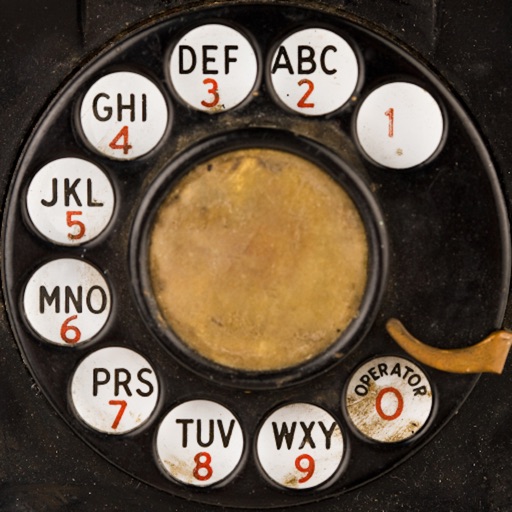
Dial numbers using physical buttons and sound effects. Set volume for sound effects and enable touch tone for faster dialing. Make calls without a touchscreen. Memorize numbers by heart. Pause to think before dialing. Relive vintage phone experience.