Create and manipulate MIDI sequences using physics-based plugins. Adjust parameters to control sound generation. Export MIDI files and integrate with compatible DAWs and hosts.
by Rodrigo Roman★ 4.626 ratingsMusicFreeData updated 2026-09-15
Create and explore drum sounds using algorithms. Generate unique sets of 12 drums with 8-character codes. Save, copy, or paste codes for later use. Access sounds via AUv3 and Audiobus.
Create and manipulate music using real synthesis and 2,500+ samples from actual video game chips. Adjust waveform parameters, apply filters, and layer sounds. Export tracks and share directly.
Read and manage from PDF, image, text, and MIDI files. Import scores via camera, photos, or files. Organize by title, artist, and setlist. View scores in horizontal, vertical, or two-page modes. Annotate with pen, text, shapes, and stamps.
Create and manipulate sound using a modular synthesizer with patching capabilities. Add or remove up to 100 modules including oscillators, envelope generators, and filters. Learn synthesis concepts through interactive module configuration.
Apply effects with BPM sync and stereo spread. Add a tube preamp for signal coloring. Adjust time, feedback, and mix. Insert as a plugin in DAWs for guitar and audio processing.
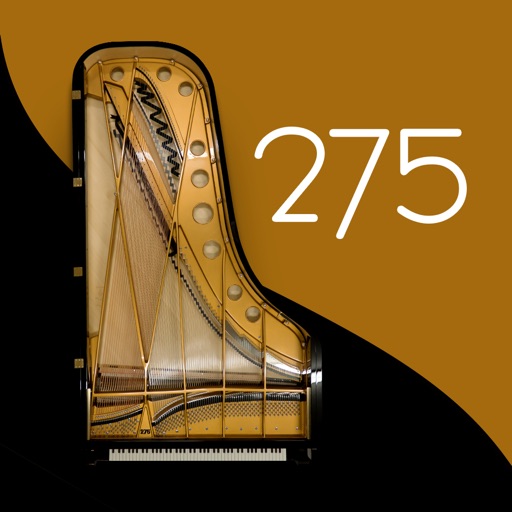
Play using a realistic virtual instrument modeled after the 275 Titanium Grand . Adjust touch sensitivity, select from multiple samples, and customize sound settings. Save and share performances directly.
Process audio with up to four effects. Route audio from external devices or sound files. Connect to iOS drum machines or synthesizers via Inter- Audio or Audiobus. Adjust effect parameters for sound shaping.
Create and control orchestral sounds using MIDI input from external keyboards or Bluetooth devices. Adjust instrument parameters, apply effects, and route audio through Audio Unit or Inter- Audio.
Create and customize rhythms with three drummers offering modern, classic, and contemporary styles. Export multi-track or full mix audio via MIDI. Access over 60 bass lines in iBassist. Adjust delay and reverb effects for sound shaping.
Turn analog piano into a digital instrument by recording and converting piano music to MIDI. Convert existing music files on your device. Edit MIDI files in music production apps.
The app provides a novel arrangement of notes for playing music. Sliding a finger produces chords, with higher importance notes and chords surrounding them.
And arrange , bass, and drum parts in compositions. View and edit tablature for and drum parts. Use MIDI and Inter- Audio instruments for background sounds. Build harmonies and visualize note relationships.
Apply effect to audio input by adjusting time, feedback, and filtering settings. Integrate as AUv3 plugin with host apps like GarageBand and Cubasis. Export processed audio files directly.
Apply distortion and saturation effects to audio in real-time. Choose from various distortion models and adjust frequency bands. Use modulation settings and access a modern, intuitive interface for precise audio shaping.