Manage firmware updates and explore hidden features
Control Bluetooth headphones with volume, playback, and call functions. Access firmware updates to enhance features. View device settings and battery status through an interactive interface.
by BEIJING EDIFIER TECHNOLOGY CO.,LTD.★ 4.42,554 ratingsUtilitiesFreeData updated 2026-09-15
Control multiple devices from one iPad . Adjust volume, play/pause, and navigate playlists. Access an intuitive interface and integrated browser for quick access to music sources. Manage playback across devices and sync with firmware updates.
Connect and control Hearing Aids. Adjust volume, select program modes, and customize equalizer settings. Sync with the device to manage audio settings and ensure optimal hearing performance.
Allows users to view service notices, check compatibility details, and access existing features. It provides information about update discontinuation dates and supported operating systems.
Control your smart TV with an iPhone that replicates traditional functions. Adjust volume, change channels, and navigate menus. Support for popular TV brands. Pair via Bluetooth or infrared.
TV functions with an intuitive interface. Use voice commands to adjust settings and navigate menus. Manage playback, volume, and input sources without physical buttons.
Devices, manage settings, simplify home entertainment
Home entertainment devices via Wi-Fi. Navigate content with a large touchpad. Launch apps and manage media playback. Adjust volume and settings directly from the .
Manage home Wi-Fi by controlling network access and setting security preferences. Enable parental controls, prioritize devices, and create guest networks. Monitor connected devices and adjust settings for improved network performance.
The app controls basic features of BOSE SoundTouch Music-Systems. Users can set timers to power devices on with a preferred preset and volume, or to turn them off.
Detect hidden cameras using Wi-Fi scanning. Locate Bluetooth-enabled with ease. Identify unauthorized in your surroundings. Ensure privacy by scanning for surveillance equipment.
Control audio zones and adjust volume settings. Manage DVD playback and AM/FM radio. Access system music player. Switch between modes and power off the device.
Manage and control IoT devices such as robot vacuum cleaners, smart cameras, pet feeders, and smart lamps. View device status, adjust settings, and receive notifications. Schedule tasks and access remote monitoring features.
Clir enhances speech clarity in conversations using AI filtering. Users can adjust audio settings for better listening. Remote listening allows device to act as a remote microphone. Supports AirPods, headphones, and aids.
Adjust audio settings to boost sound and enhance . Import songs from local storage or cloud services. Access a music player with customizable equalizer settings. Play and manage playlists. Control playback with on-screen buttons.
Adjust audio with boost for deeper sound and volume for louder playback. Use equalizer controls to customize frequencies. Enhance music clarity and apply sound effects for personalized listening.
Manage guest Wi-Fi access by creating and configuring networks. Set parental controls to restrict device usage. Assign devices to household members and monitor network activity. Adjust basic policy settings for network security.
Check broadband coverage in your area. Find details about internet service providers. Explore available ISP deals. View information about network. Access self-service options for connectivity management.
Test audio tones to evaluate performance. Use built-in functions to identify and address sound issues. Adjust volume and frequency settings for accurate testing.
Monitor generator status and control power settings
Monitor generator or power station status with real-time fuel or battery level, load level, and remaining runtime. Pair devices via Bluetooth. Control operation and receive notifications.
Detect hidden cameras by scanning Bluetooth devices. Identify nearby devices and estimate their distance. Check for unauthorized surveillance in homes, hotels, or rentals. Ensure privacy with reliable detection tools.
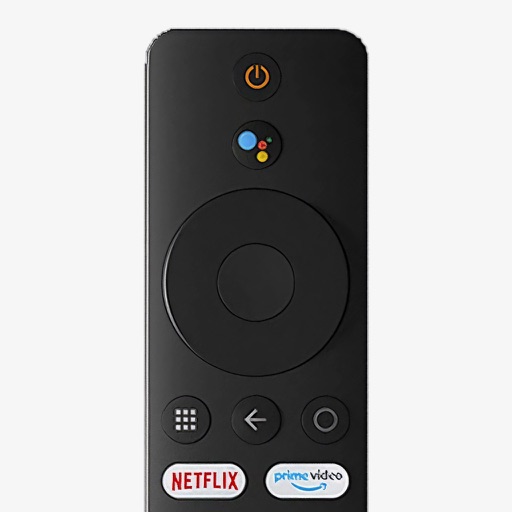
Control your Mi Box with full remote functions including volume, power, and navigation. Manage apps by opening, closing, and switching them from your phone. Use voice search to find content and control playback.