Control LED RGB strips with color and brightness adjustments. Select from built-in patterns and rhythm effects. Set timers for automatic light on/off. Adjust brightness and color manually. Sync with mobile device for real-time changes.
by Tzumi Electronics LLC.★ 2.5671 ratingsEntertainmentFreeData updated 2026-09-06
Record videos by pressing shoot and record buttons. Display recording time in lower right. Apply real-time color and rotation effects. Create surreal visuals by transforming ordinary scenes into different worlds. Add and other creative effects.
Capture photos with built-in live filters in landscape or portrait mode. Adjust saturation, contrast, brightness, exposure, and sharpen. Apply crop, gamma, haze, sepia, or color invert.
Capture -angle and panoramic photos using real-time lenses. Adjust distortion levels and select from multiple presets. Edit images with crop, rotate, and brightness tools. Share photos directly to social media or save in high-resolution formats.
AIO provides tools for eye exams. Users can adjust cobalt blue light brightness, test pupillary light reflex with a flash, measure pupil size using a chart, and assess visual acuity with randomized eye charts.
Play audio files or use microphone input to sync flashlight blinks with beats. Toggle on/off and adjust screen brightness for immersive lighting effects.
Control on-screen motion by touching and dragging to create fluid movement. Interact with glowing particles and light effects. Play mini-games for a calming experience. Adjust settings for personalized relaxation.
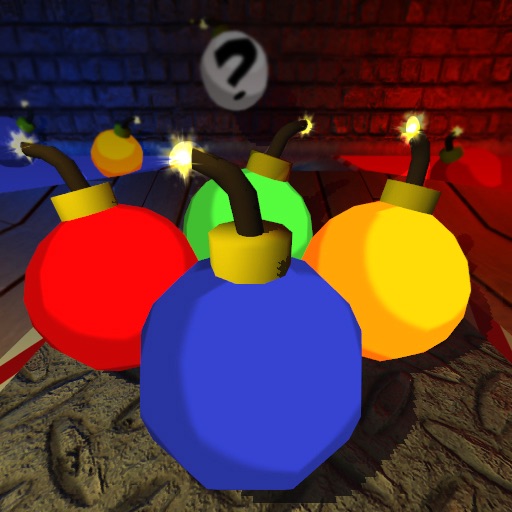
Sort bombs by color using drag-and-drop to defuse them. White bombs explode for a bonus. Complete 6 levels with unique settings and track high scores. View worldwide rankings after each game.
Allows users to select from 60+ illustrations. Choose from four realistic drawing tools including watercolor. Paint using artist-created patterns. Save and share completed pages.
Allows users to color 3D models with HSV/RGB sliders for base, highlight, and shadow adjustments. Features include material controls, instant visual feedback, and saving repeatable color recipes for consistent results.
Color pages with effects. Choose from multiple pages featuring mermaids. Add sparkles and customize colors. Save and share completed artwork. Sync progress across devices.
Puzzle game allows users to select from various categories and levels. Import images from camera roll or color selfies. Choose color sets and difficulty levels. Share completed artwork on social media platforms.
Create digital art with a variety of brushes, layers, and color adjustments. Use an eraser for modifications and access reference avatars and sketches. Save and share completed artwork.
Create and customize particle simulations with adjustable color, size, and shape based on movement and age. Control trail effects, background changes, and physics settings. Use accelerometer input for gravity and turbulence.
Swipe to control movement and color sections of a maze to progress through levels. Complete each level within a time limit. Track progress and unlock new challenges.
Convert photos into limited-color posters with a effect. Apply filters to adjust colors and brightness. Share images on social media platforms like Facebook and Twitter. Save or email the edited photos directly.