Guangzhou Tianhe District Yongji Network Technology Co., Ltd.
Play retro games on modern devices
Manage and organize imported game ROMs in one place. Launch games directly from the library. Support multiple file formats and device compatibility. Save game progress and adjust control settings.
Play a one-tap action runner within a rotating, flipping environment. Navigate randomly generated levels with changing geometry. Listen to chiptune music. Attempt near-impossible challenges.
Create and edit chiptune music using SID sound chip emulation. Import and remix bundled songs. Adjust tempo and use advanced table editing. Export tracks in multiple formats. Share creations directly.
Run games using . ROM files. Load and play classic titles with accurate emulation. Navigate a simple, clean interface to access game settings and controls. Save game progress and adjust audio settings for optimal performance.
The app emulates vintage 80's hardware drum machines with a realistic interface. Users can play included rhythm presets or create their own patterns, with control over drum kit parameters and song mode.
Create and manipulate music using real synthesis and 2,500+ samples from actual video game chips. Adjust waveform parameters, apply filters, and layer sounds. Export tracks and share directly.
Create musical compositions using numbered notation with support for various rhythms and pitches. Input lyrics and accidentals, and adjust key signatures and tempo. Play back notation with sound, select sections for playback, and set instruments.
Manage songs with lyrics and sheet music. Playbacks, MIDI files, and videos are supported. Control MIDI devices or be controlled by MIDI. Access songs on-demand during performances. Unlock full version via in- purchase to remove song limit.
Record in WAV or M4A formats with mono or stereo settings. Choose microphone input for monoral or stereo recording. Adjust playback effects and save recordings for business or entertainment use.
Split audio files into vocals and instruments using AI. Import audio or video files, screen recordings, or paste links. Export stems in various formats. Edit and rearrange tracks within the .
Play music-based rhythm game with 4-5 charts per song across various difficulty levels. Select from 1000+ songs and over 4000 charts. Compete against others online and track progress through difficulty tiers.
Create music using touch-based sampling and gesture recording. Explore samples for melodies and textures with various play modes. Record compositions and experiment with audio in real-time.
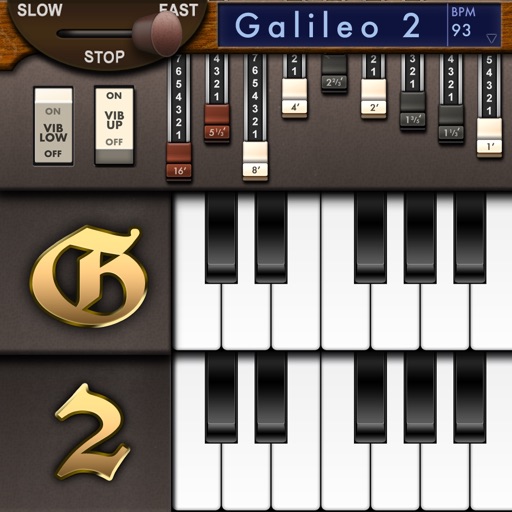
Create and customize sounds with 17 different types. Configure three manuals independently. Use scanner vibrato and chorus effects. Simulate rotary cabinets and tube amplifiers. Access AUv3 plugin for integration.
Import audio files and extract samples using automatic transient detection or manual markers. Play slices with MIDI controllers or built-in pads. Adjust parameters like reverse, level, attack, and release. Sync with AU hosts for automation.
Edit recordings by visualizing pitch and adjusting notes individually. Correct pitch and timing issues. Explore new melodic ideas. Export edited tracks in various audio formats.
Create and customize basslines with a synthesizer and drum machine. Adjust waveform shapes, filter settings, and envelope parameters. Sequence rhythms with step editors and pattern loops. Export audio files and share directly.
Record vocals with professional effects and processing. Swipe to start and stop recording. Import royalty-free beats or personal tracks from iTunes. Export high-quality .WAV files without limits. Bounce tracks quickly for instant mixing.