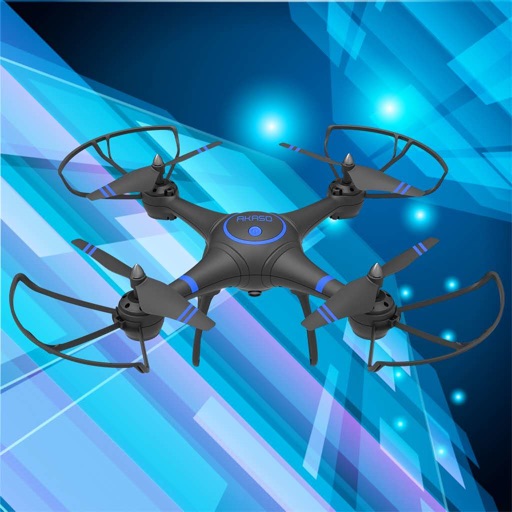
Control a quadcopter drone via smartphone to view real-time video feeds. Save photos or record videos for later review. Adjust flight settings and monitor battery levels during operation.
by 健 吴★ 1.810 ratingsPhoto & VideoFreeData updated 2026-09-15
View live video feed from connected dash cam on iOS device. Download and share videos directly from the camera to iOS. Control camera functions like taking photos and recording videos via iOS.
Record video using both front and rear cameras simultaneously on iPhone XS, XR, and iPhone 11. Add text, contact details, and custom logos or images to videos. Share content directly with buyers or contacts.
Manage private files securely by importing and organizing images, videos, audio, and documents. Preview and edit media files. Export photos and videos to Photos or Files. Transfer files via WiFi. Share files with third-party apps.
Reduce photo file size while maintaining quality. Resize images to fit specific dimensions. pictures for email, social media, or upload. Save storage space by optimizing image formats. Share compressed directly from the .
View and record UVC video feeds using a compatible capture device. Adjust exposure, focus, and white balance. Export videos in high-quality formats. Edit clips with trimming and cropping tools.
Control DJI Mavic drones for time-lapse photography. Capture , during, and shots from multiple viewpoints. Auto-pilot for precise alignment. Edit and export time-lapse videos and photo collages. Sync with DJI Mavic series for aerial imaging.
Collect images to create high-resolution maps and 3D models using drones. Choose modes for different sites. Preview paths in 2D or 3D. Use Terrain Follow to adjust drone height for better imagery.
The app offers two modes: 2 Image Compare with manual slider control and Slideshow mode for animated presentations. Users can record slideshows, convert videos to GIF, and add background music.
Record videos continuous background playback. Add captions, trim clips, and export in various formats. Share videos directly to social media platforms.
View and edit of photos and videos including GPS location, EXIF data, keywords, author info, and camera settings. Remove geotags and other fields. Export modified files.
Capture photos and videos using the . Save media to mobile device. Share captured content with friends. View and manage stored files. Edit images with basic tools. Record and save video clips.
Stream music and playlists to TV or speakers via WiFi. Cast photos and videos to a big screen with 4K support. Play content from the PRO version without ads.
Control drones, view real-time video, record photos
Control a four-axis drone via WiFi. View real-time video feed from the drone's camera. Capture photos and videos using the device. Enable VR mode for immersive viewing. Use voice commands for flight control.