Edit photos and videos with basic color adjustments including brightness, contrast, saturation, and white balance. Choose media from the gallery or capture new photos. Apply 3D LUT color filters downloaded from a server.
by Oleg Sharonov★ 4.172 ratingsPhoto & VideoFreeData updated 2026-09-15
Edit photos and videos with nostalgia-inspired filters, textures, and light leaks. Add frames and date stamps. Adjust exposure, contrast, and vibrance. Export edits in various formats and share directly.
Edit videos with high-quality color grading tools. Adjust brightness, contrast, saturation, and hue. Apply custom filters and fine-tune each parameter. Export videos in various formats and share directly.
Create collages using 1000+ layouts and effects. Edit photos with filters, split images, and adjust brightness. Add text, stickers, and templates. Share edited collages directly.
Edit photos and videos with trending styles, 500 stackable filters, and 120 customizable effects. Save custom presets for repeated use. Plan Instagram grids by selecting filters and effects directly within the .
Turn photos into drawings, cartoons, or sketches with one click. Apply various effects including black strokes, white strokes, pastel, and halftone. Adjust edge strength, opacity, contrast, brightness, and saturation.
Capture 4K HDR spatial videos and 12MP HDR spatial photos using iPhone 15 Pro series or newer. Preview content in parallel viewing, anaglyph, wigglegram, or cardboard mode. Stream spatial media to AR glasses or large screens.
Edit photos and videos with face retouch, skin smoothing, and reshaping tools. Apply filters and use AI-powered features like hairstyle adjustment and object removal. Enhance image quality and correct camera distortion. Share edited content directly.
Take photos or select from gallery. Apply beauty filters and edit selfies. Use over 240 filters and 800+ stickers. Crop photos and adjust sizes. Edit photos with built-in effects and blending tools.
Edit photos and videos with 300+ exportable . Adjust colors, exposure, and contrast. Apply filters and effects. Export in multiple formats and share directly.
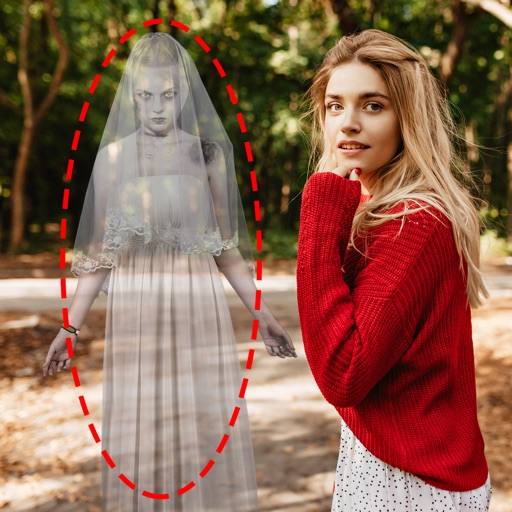
Edit photos by adding ghosts, monsters, or zombies from 62 options. Adjust transparency, color, saturation, brightness, and contrast for each creature. Position and resize creatures freely. Share finished photos with friends.
Edit photos and videos with one-tap presets or filters. Adjust details using retouch tools, object removal, background blur, and precise editing. Export edited content in various formats. Share directly from the .
Capture photos with real-time grid lines and flash settings. Use one-touch beautification for selfies. Access weekly updated filters and collages. Add stickers and create collages. Share edited photos directly.
The app offers a full editing suite with color, brightness, and contrast adjustments. It includes filters, frames, effects, and a meme maker with speech bubbles and text options.
Edit photos by adding speech bubbles with 15 styles and customizable colors and fonts. Create collages with comicbook-style layouts. Share photos directly from the . Drag, rotate, and pinch elements for editing.
Take photos with high-resolution settings. Apply 40 free filters, including a popular pink filter. Edit images with color adjustments and effects. Add creative accents to photos. Share edited photos directly from the .
Edit videos by merging and combining clips, creating slideshows, and adding music. Apply filters and effects like Glitch, Retro, and VHS. Adjust tone with contrast and brightness controls.
Edit photos with skin retouching, blemish removal, and dodge & burn tools. Remove stray hairs and edit hair part lines with one click. Reshape facial features and adjust body proportions using 3D bone mapping.
Edit photos and videos with transitions, special effects, text animations, and filters. Sync content to trending music. Use pre-made templates. Share directly to TikTok, Instagram, Snapchat, and YouTube.
Correct underwater photos and videos by adjusting color tones with a single tap. Transform dull blue-green hues into natural, vivid colors. No account needed. Access example media in the help section.