Edit and arrange audio samples with multi-sampling capabilities. Stream high-quality samples efficiently. Integrate with iOS production tools like AUv3. Record, playback, and manipulate audio in real time. Export projects in standard audio formats.
by Harry Gohs★ 4.3179 ratingsMusic$12.99Data updated 2026-09-15
Create sequences by tapping on sound samples like Snare, Hi-Hat, and Clap. Adjust tempo (bpm) to control speed. Build sound patterns by arranging samples in a grid. Save and export created sequences.
Create music using touch-based sampling and gesture recording. Explore samples for melodies and textures with various play modes. Record compositions and experiment with audio in real-time.
Create and save multi-track music projects on iPad, iPhone, or Mac. Record and import audio tracks, browse samples with previews, apply effects, and use high-quality synthesizers and drum kits. Edit, mix, and render complete songs.
Create with a variety of professional sounds for EDM, trap, dubstep, drum-n-bass, rave, and more. Record beats in landscape or portrait mode. Export songs as audio files or MIDI tracks. Share via the feed or export individual tracks.
Record and mix audio tracks with multi-channel routing, effects, and automation. Edit MIDI sequences, arrange loops, and export high-quality audio files. Support for VST plugins and external hardware integration.
Stream from SoundCloud Go+ and local files via cloud services. Import tracks in multiple formats. Organize library by title, artist, album, bpm, key, rating, or duration. Create custom playlists.
Create and play with real instruments including pianos, guitars, oud, synths, and strings. Access 1,000+ multi-sampled sounds with effects and smart scripts. Use global styles and rhythms with dynamic drum kits.
Compose music with Apple Pencil, converting handwritten notation into typeset scores. Edit, play back, print, and share scores. Record or import audio and edit it with Apple Pencil.
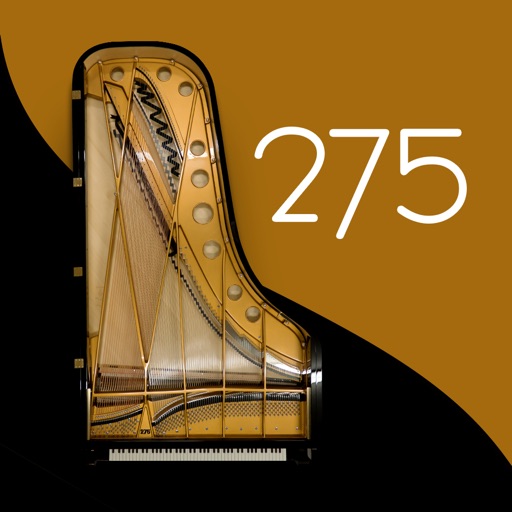
Play using a realistic virtual instrument modeled after the 275 Titanium Grand . Adjust touch sensitivity, select from multiple samples, and customize sound settings. Save and share performances directly.
Create and customize drum kits with samples, presets, and modulation options. Sequence patterns with intuitive editing tools. Import custom samples and use intelligent randomizers for new drum ideas. Export and share drum sequences.
Play virtual with MIDI controllers or keyboards. Adjust articulation, dynamics, and breath effects. Use Room Simulator "Ambiente" for spatial audio. Load and save presets. Export audio in multiple formats.
Create and manipulate music with unlimited instruments and audio recording. Build scenes using pattern mode and visual elements. Control instruments via multitouch and motion interface. Connect to HDMI and Airplay for live performances.
Allows users to process their into various effects. Apply vocoder, auto pitch, and harmonizing pitch shift. Adjust speed and sample sounds. Create robotic, animal, or comedic voices. Play musical instruments by without physical input.