For GIFs, clips, and stickers from a large library. Share content directly to social platforms like Facebook Messenger, Instagram, and Snapchat. Explore curated collections from popular creators and brands.
Create and edit photos and videos with text, stickers, logos, and elements. Add Arabic and English language support. posts, ads, event invitations, and animated stories. Sync with Apple Health.
The app allows users to add unicorn-themed graphics to photos. Users can select or snap a photo, add horns, sparkles, rainbows, and glitter farts, and then share the edited image.
Print photos on 2x3”, 2.3x3.4”, 3.5x4.25”, or 4x6” paper using printers. Select photos from smartphone or social media. Edit images with HP’s photo-editing tools. Add stickers to prints. Send edited photos to the for printing.
Create stickers by drawing lines to separate objects from photos. Store and share stickers via social media or messaging apps. Use stickers to design collages and combine with photos for creative images.
Create collages with 20000+ layouts and effects. Add stickers and text to photos. Edit images with cropping and filters. Make videos with carousel and slideshow options. Share directly to Instagram.
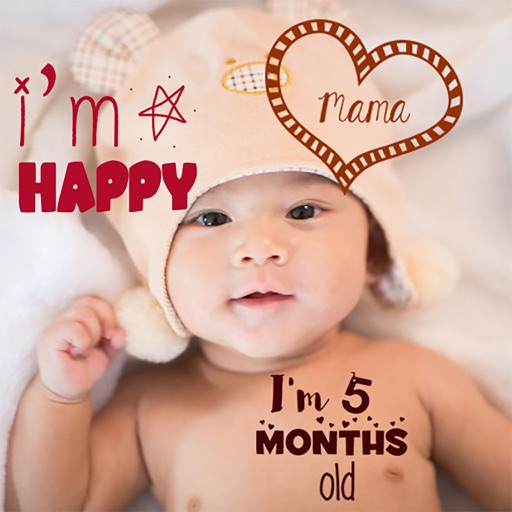
Create stories for pregnancy and milestones using professional stickers and fonts. Add text and -themed stickers. Edit photos with artistic styles. Share and save stories in albums.
Edit by adding frames, stickers, and text. Crop images to square for social media. Save edits to Camera Roll or share directly. Adjust designs with layered effects.
Edit videos by importing any length footage and selecting a layout or stencil. Add text or stickers. Cut video into 15-second fragments or custom lengths. Save clips to Camera Roll in chronological order. Share edited videos on Instagram Stories.
Edit photos with filters, stickers, text, and frames. Access images from social media and cloud accounts. photos via IVY Photo Printer or IVY CLIQ+/CLIQ+2 cameras. Share edited photos and order sticker prints for personal items.
Create collages by adding photos, text, and stickers to pre-designed templates. Customize layouts, adjust colors, and apply filters. Share finished collages via social media or messaging apps.
Search for animated stickers and GIFs from a large library. Share stickers directly from the keyboard or choose from curated reactions. Add stickers to messages or social media posts. Sync with iOS and Android devices.
Add photorealistic dinosaurs and to photos. Apply built-in editing tools to enhance creations. Share Art with friends. Include brutal sticker packs for intense visuals.
Edit videos with multi-track timeline support. Perform quick rough cuts with precise 0.05-second adjustments. Add transitions, effects, and text overlays. Export in various formats without watermarks. Share directly to social media platforms.
Send messages with customizable . Place on message bubbles or anywhere in conversations. Adjust sticker size and background. Choose from a wide selection of . First three are free; others require purchase.