Capture photos with manual exposure and focus controls, RAW and TIFF support, and real-time adjustments. Edit images with advanced tools, apply effects, and export in high-quality formats. Share photos directly from the .
Edit photos and videos with AI-generated anime styles, including facial enhancements and background effects. Apply filters, adjust colors, and add animated elements. Export edited content in various formats and share directly.
Stitch multiple photos into a single image. Share the result on Facebook, Twitter, and Tumblr. Adjust alignment and spacing between images. Export in various formats.
Create photo collages by combining 2 to 9 images into one. Adjust size, position, and layout. Choose from various templates and styles. Add stickers, frames, effects, and patterns. Share finished collages directly.
Combine photos into a single collage with 50+ layout options. Add exclusive stickers, backgrounds, and frames. Adjust layouts, crop, and rotate images. Include text to personalize and share the final design.
Create collages by combining multiple photos into a single framed image with captions. Add 2D and 3D effects. Share finished collages on social media platforms like Facebook, Twitter, and Flickr.
Edit photos by selecting focus areas with smart selection tools. Apply to background while keeping subject in focus. Choose from nine including motion and zoom. Pan and zoom quickly for precise adjustments.
Apply art to photos for creative visuals. Add spiral effects and blur backgrounds. Use emoji art, background art, and outline art to enhance images. Apply AI, cartoon, neon, and mask effects. Create retro, atlantis, and big camera styles.
Take photos with real-time beauty filters and effects. Apply makeup and adjust skin tone instantly. Use photo filters to enhance images. Create collages by combining multiple photos. Edit with blur, whiten, and other tools.
Merges into a single image by automatically aligning them. Users can adjust margins manually for custom collages. Screen content can be recorded and saved as a continuous image. Supports webpages, articles, and instructional content.
Filters, adjustments, and effects. Apply blur, focus, and rotation. Add stickers, text, and on images. Crop, resize, and enhance . Remove blemishes and whiten smiles. Save or share edited images.
Edit photos with -themed and creative effects. Choose from gallery or camera sources. Apply enhancements for realistic visuals. Share edited photos directly.
Edit photos by selecting from Camera Roll or taking new shots. Apply real-time effects to create prism-like glass pieces. Adjust frames, shapes, and patterns. Rotate, resize, and drag elements for custom designs. Export and share edited images.
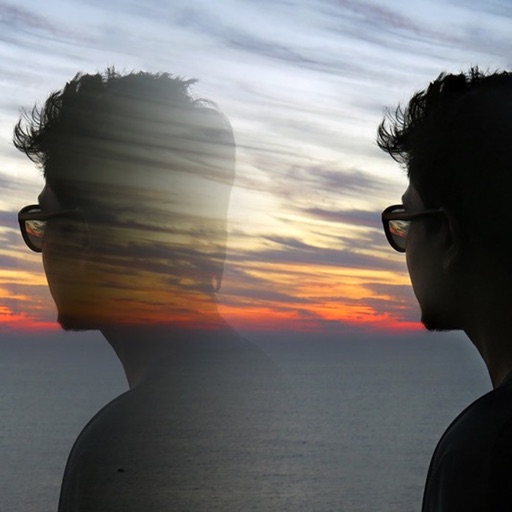
Edit photos with 12 blend modes including overlay, multiply, difference, and exclusion. Combine foreground images from a growing library of over 400 options. Export and share edited creations.
Combine multiple photos into customizable frames or collages with 55 adjustable templates. Add rounded corners, effects, shadows, and patterns. Choose colors using an easy color picker. Save projects and share via Facebook, Email, or Twitter.
The app allows users to crop photos into a square shape for posting on Instagram. It supports both landscape and portrait orientations and offers various background options and effects.
Create and edit videos using pre-designed with text, animations, filters, and music. Add effects and customize layouts. Export final videos in various formats.