Convert audio files between MP3, WAV, M4A formats. Extract audio from videos, trim clips, and share directly. Access ad-free version with subscription. Manage auto-renewal settings in iTunes.
by 彬彬 岳★ 4.8252 ratingsMusicFreeData updated 2026-09-14
Record high-resolution audio in stereo or mono with support for 48kHz up to 24 bit. Share recordings directly. Adjust bit rate for longer playback or higher quality. Add digital branding flags. Compatible with built-in microphones and accessories.
Connect and manage Bluetooth audio devices with fast pairing and automatic recognition. Switch between multiple devices easily. Monitor battery levels when available. Features a clean, intuitive interface for simple control.
Manage and play music with unlimited access to stored files. Sync and share music across devices via cloud or Wi-Fi. Create and organize playlists. Control playback with skip, repeat, and shuffle functions.
Create music using touch-based sampling and gesture recording. Explore samples for melodies and textures with various play modes. Record compositions and experiment with audio in real-time.
Create original with AI-generated melodies and full tracks. Export in MP3, WAV, or MP4 formats. Access royalty-free without copyright concerns. Explore multiple genres including pop, EDM, and lo-fi. No skills needed to produce finished tracks.
Enhance audio playback with customizable boost settings. Adjust volume levels to increase output. Support for various audio file formats. Sync with compatible devices for uninterrupted playback.
Access high-quality audio files and curated playlists from professional engineers and audiophiles. Connect to audio devices via Bluetooth for control and parameter adjustments. Manage device settings, EQ, delay, and frequency alignment.
Listen to Quranic recitations in MP3 format. Navigate between surahs by swiping left or right. Access a surah playlist by swiping up. Play audio offline without internet connection.
Edit files with multi-track mixing and trimming. Import WAV, AIFF, MP3, and more. Apply effects like reverb and compression. Cut, copy, and paste sections. Export in high-quality formats and share directly.
Analyze audio songs in the iOS music library to display symbols. View chords in graphical piano keyboard or guitar tab formats. Practice and play songs using displayed chords.
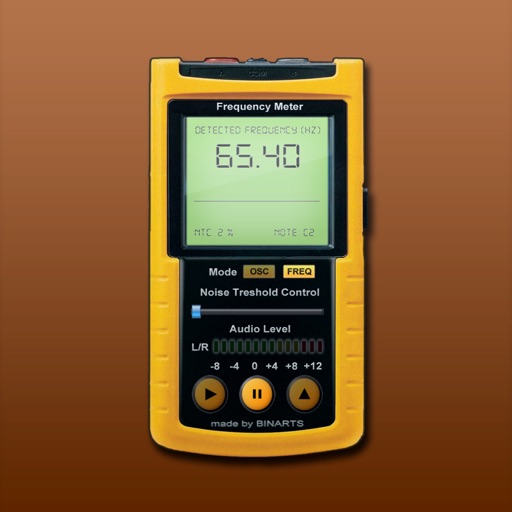
Measure and analyze audio frequencies with real-time scanning from internal or external microphone. Display audio level, noise level, range, current , oscilloscope, and spectrum analyzer. Calibrated for accuracy between 15 - 22500 Hz with +/- 0.
Create ringtones directly from phone music without connecting to a computer. Select songs, trim clips, and save as ringtones. Share ringtones with others for easy customization. Edit audio clips and preview before finalizing.