Apps Like Profile Photo Border - Editor for iPhone and iPad
Edit photos, add borders, share instantly
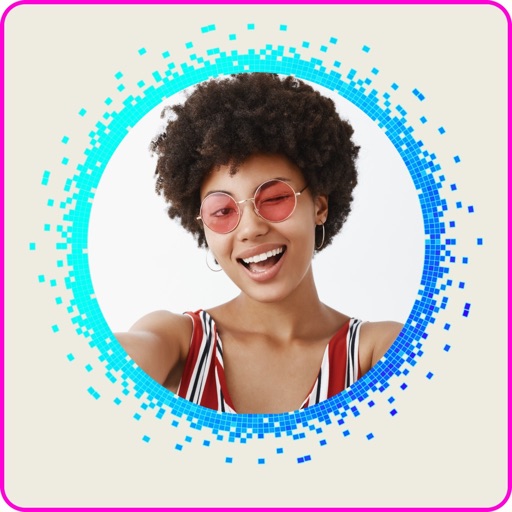
Edit photos with and frame tools. Add text and customize borders. Export high-quality images without watermarks. Share directly to Instagram and WhatsApp. Save photos in high resolution. Use built-in text . No watermark added. Works offline.
by Nitish Kamra★ 4.7970 ratingsPhoto & VideoFreeData updated 2026-09-14
Repost posts from Instagram with one click. Maintain image quality during reposting. Apply over 1,000 tags to posts. Schedule posts for later. Remove watermarks from media. Repost without including a link.
Edit photos and videos with overlays, vintage effects, and 100+ filters. Adjust lighting, add dust effects, and create custom presets. Export edited content for Instagram, TikTok, or Pinterest. Sync edits across devices.
Edit photos and videos with trending filters, effects, and styles. Apply Glitch, Blur, Vintage, and other weekly updated effects. Design content optimized for Instagram, TikTok, Facebook, Snapchat, and other platforms.
Edit photos and videos with templates, quotes, stickers, and customizable text. Scale, rotate, position, duplicate, and flip elements with touch gestures. Create collages and design posts for social media. Export and share edited content directly.
Record 4K with P3-D65 color space and customize codec, resolution, frame rate, bit rate, and sample rate. Adjust focus, ISO, shutter speed, and white balance. Enable stabilization and control audio settings.
Allows users to apply masks and voice effects during video calls. Users can select from over 25 voice effects and hundreds of masks. The enables interactions by hiding identities in chat apps. Premium subscribers access all video and voice effects.
Create photos with customizable frames and colored borders. Apply pre-designed borders to shapes. Choose from a variety of frame styles to enhance visibility and stand out on social media.
Add source videos and background from the library or record voice. Adjust audio volume and trim or video. Preview and export in high quality. Control volume levels for video, , and voice over. Arrange and merge multiple clips.
Edit photos with effects to preview past or future appearances. Apply cartoon filters for artistic effects. Add stickers and costumes for creative customization. Share edited images directly.
Record with customizable resolution and bitrate settings. Capture unlimited duration without breaks. Save recordings in high-quality formats. Share directly or export for later use.
Edit videos by selecting from hundreds of advanced transition templates. Add media and to create polished edits. Share finished videos on social media without needing advanced editing skills.
Create and customize patterns, wallpapers, and backgrounds using professional editing tools. Add photos with AI eraser. Access 1000+ motifs and stickers. Browse user-generated patterns. Share creations with others.
Edit photos using 100+ filters and textures. Capture photos with one tap for authentic film-like results. Apply instant effects and choose from 60+ textures. Export edited photos in various formats and share directly.
Create collages and videos using Instagram posts from 2025. Analyze likes and average engagement per photo. Export collages and share directly. Track fan reactions through like data. Generate summaries of top moments.
Create text for films or social media videos. Choose background images, videos, or colors. Input credit text to generate smooth, flowing animations. Export and share the final directly.
Create videos by selecting photos from the gallery and adding music. Choose from 50+ transition effects. Adjust frame speed and layout ratio options including portrait, square, and landscape. Preview and edit in real time.
Create collages by combining multiple images or videos. Adjust brightness, contrast, and color. Add text, stickers, and effects. Share finished projects on social media. Save edits in various formats.