Perform complex calculations with scientific, engineering, and hexadecimal modes. Use RPN and multi-line display. Convert units and access constants. Undo and redo actions. Sync with Apple Watch for on-the-go calculations.
Use phone as magnifying glass for reading small text or viewing small items. Adjust image contrast, brightness, and color space. Switch between back and front camera. Apply black and white or invert filters.
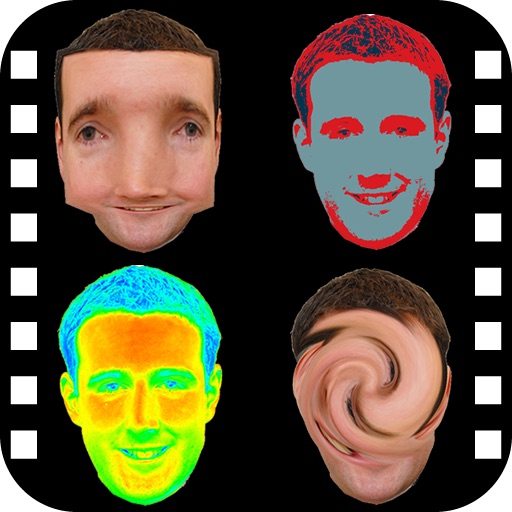
The app provides a photo editing experience with numerous effects. Users can select a picture and apply various filters like Night Vision, Heat Cam, Ripple, and Alien.
Draw with a pen or apply colorful stamps. Tap to change background colors between white and black. Save drawings, erase, or retry. Play sounds when using stamps or drawing lines.
Documents, photos, and files directly from an iPhone or iPad. Select from multiple printers. Scan documents with automatic border detection. Adjust settings including color, black and white, and advanced options.
Edit photos with , , and AI cutout tools. Apply neon, glitch, and overlay . Add doodles, artistic text, and fun stickers. Share edited photos directly to Instagram, WhatsApp, Facebook, and Messenger.
Scan multiple dominos at once for accurate results. Place white dominos on a dark surface for optimal scanning. Adjust lighting settings for better clarity. Supports several languages including English, Spanish, and Chinese.
Memes using a large collection of templates. Search for templates by popularity, relevance, date, or usage. Add text, images, and labels. Save memes to a list for future editing. Undo and redo changes during creation.
Capture low-light and night photos and videos with enhanced clarity and brightness. Record 4K time lapses and use Astronomy modes to capture stars and Northern Lights. Enable long exposure for detailed night scenes.
Images between and PNG formats. Select files to from GIF, PNG, or BMP. Transparent areas in GIF or PNG are converted to white. Share converted files via the share button. Save converted or PNG files to your device.
Old by removing scratches, fixing damage, and enhancing clarity. Adjust brightness, contrast, and color. Share restored images directly or save in high resolution.
Take notes with customizable colors and line thickness. Undo and redo actions available. Share notes via Facebook, Twitter, LINE, or email. Disable line tracing for cleaner visuals. Save notes for later access.
Convert paper documents and images to PDF or JPG formats. Use OCR to recognize text automatically. Save files in multiple formats including PDF and JPEG. books, receipts, notes, and business cards in high quality.
The app automatically corrects color balance and exposure with the option to fine-tune adjustments. It allows users to convert images to black and white or sepia tones and supports Wide Gamut displays.