Create collages by selecting layouts, adding photos, and personalizing with frames or templates. Arrange images in grids, freestyle, or pre-designed templates. Share directly to social media or messaging apps.
The app allows users to remove and edit backgrounds of pictures. It offers smart and manual cutout tools, with options to move, zoom, rotate, and crop images.
Create animated video stories using pre-designed templates. Add personal photos and videos. Export and share to Instagram, TikTok, Facebook, Snapchat, or other social media platforms. Apply effects and transitions to enhance visual storytelling.
Create collages by combining multiple photos using various frame patterns and grid layouts. Apply over 1100 design styles to individual images or collages. Share finished creations directly from the .
Create collages using 100+ adjustable layouts. Customize with gesture controls and regulation bars for precise adjustments. Choose from beautiful backgrounds and filters. Edit photos with cropping and ratio adjustment tools.
Create grids for social media and galleries. Arrange and resize images in customizable layouts. Add borders, frames, and text overlays. Share grids directly to Instagram or save as high-quality images.
Create portraits with vintage photographic effects. Apply four styles including B&W, color, high contrast, and sepia. Adjust eye intensity, grain, and depth-of-field. Supports portrait mode for enhanced background blur.
Edit photos with crop, rotate, exposure, color, sharpness, and resize tools. Create grid collages and edit individual images. Access presets, clone tool, and fine curve adjustments for detailed edits. Export and share edited photos directly.
Change text appearance with customizable . Type in various styles including cursive, block, and bold. Access options directly from the keyboard. Share formatted text across social media and messaging apps.
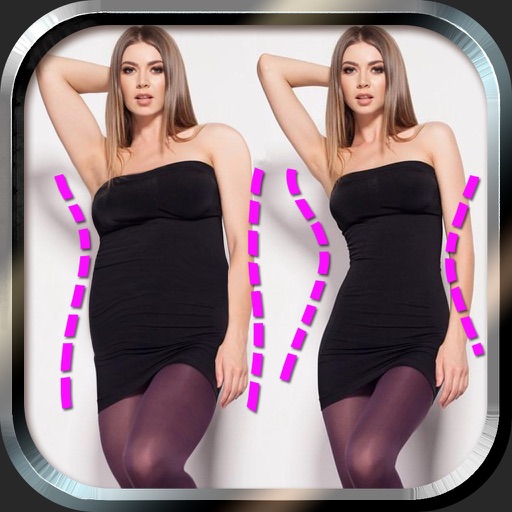
Edit photos to and body using auto-detection. Adjust and body thickness with sliders. manual edits and undo changes. Compare original and edited images. Save results to albums and share via email or social media.
Create collages by combining photos into -shaped frames. Apply filters and adjust colors. Share collages directly or save in various formats. Organize memories in a single album.