Create and manage multiple lists for tasks, groceries, or packing. Add and reorder items with taps. Sync across iPhone and Apple Watch. Set reminders and view details. Share lists with others.
Track expenses by recording daily spending. Set and monitor budgets to manage finances. View spending patterns and savings progress. Sync data across devices. No ads or sign-up required. Free version available with no tracking.
Create and learn flashcards for various subjects including foreign languages, medicine, history, geography, science, law, and recipes. Add images from your photo library or camera. Review cards with multiple modes and track progress over time.
And restore directly from your phone. Send contact backups as .vcf files via email. Restore by opening .vcf files in your email. No server sync required.
Manage group communication and coordination. Create unlimited for teams, classes, or families. Import contacts from your phone. Add members to multiple . Send mass texts and track attendance. Organize events and manage member details.
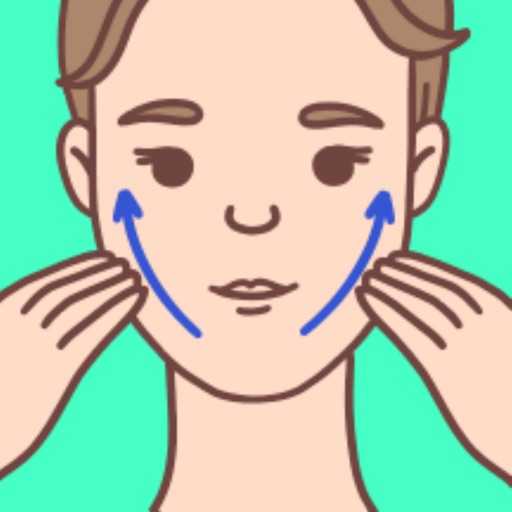
Perform facial exercises to lift, firm, and tone facial muscles. Follow guided routines for different areas of the . Include massage techniques to improve circulation and reduce tension. Track progress over time with built-in tools.
View monthly schedules with visual overview. Add and manage events quickly without complex setup. Access calendar widgets for daily date, day of week, and event checks. Sync updates with changes. Ensure secure data handling.
Simplifies iPhone use with a home screen. Removes distracting elements like badges and bright icons. Allows customization of shortcuts and widgets. Enables focused mode to limit distractions. Tracks screen time and usage.
Track and manage counters with a plus button to add new entries. Swipe to remove unwanted counters. Use for inventory management or counting items in games.
Users can perform eye to improve vision. Track progress over time. Share feedback to contribute to a study analyzing exercise effectiveness. Sync data with AI for ongoing analysis.
Save ideas and linked to dates. Add , agendas, or diary entries to specific dates. View by month or year. Swipe to navigate months. Customize note colors. Access a perpetual . Lightweight and design.
Display time and date in full screen with landscape or portrait orientation. Switch between 12-hour and 24-hour formats. Toggle dark and light modes. Choose between flip clock and analog clock styles. Enable or disable flip animation.