Check file sizes before sending videos or images via SNS or email. View EXIF data including location information. Access files directly from the camera roll via ShareExtension. Confirm file properties automatically when sharing.
by NISHI TAKASHI★ 5.01 ratingsUtilitiesFreeData updated 2026-09-14
The app transfers photos and videos between devices without needing a USB cable or extra software. It supports transferring to and from non-iOS devices and preserves EXIF info.
Remove duplicate photos and videos using AI. Swipe to keep or delete items. Sort by date with 'On This Day' and monthly views. Organize media by month. Clear phone by managing camera roll files.
And decompress files with ZIP and RAR formats. View and open documents like PDF, DOC, and images. Create folders and manage storage. Access file viewer and organize files efficiently.
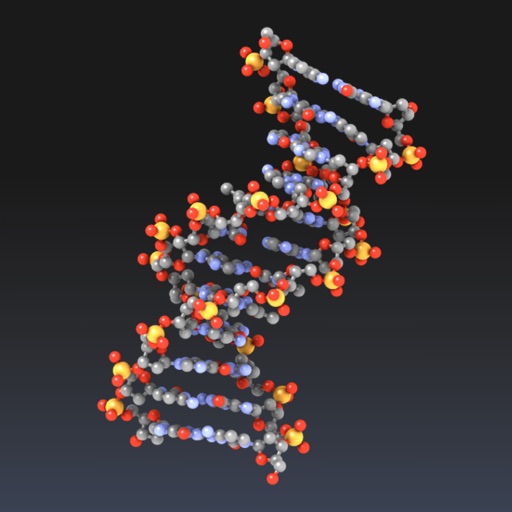
Explore molecular structures in 3D with intuitive gestures and customizable visualizations.
The app allows users to view and manipulate 3D molecular structures. It supports multiple visualization modes and file sharing options for molecular data.
Clean up photo gallery by removing duplicate videos and images. Sort files by size, date, or location. Access a widget for free space and recent large files. Delete up to 15 files per session for free. Unlock unlimited deletions with in- purchase.
Organize photos by swiping to delete or keep images. Identify duplicates, blurry shots, screenshots, and unwanted photos. Clean up the camera roll and manage storage space efficiently.
Allows users to remove duplicate and similar photos and videos. It cleans up screenshots and large files. One-tap removal frees space. Users can compress photo file sizes. They can convert formats and organize content.
Capture photos in Apple ProRAW or Adobe DNG formats. Send RAW files via email or use file sharing to transfer to Mac/PC. Drag and drop RAW data from Finder. Also capture in HEIC format.
Connect to a camera via WiFi to configure settings, capture photos and videos, and edit them directly. Share edited content through integrated sharing options.
Trim clips by selecting specific regions. Apply filters and add background music. Save edited videos to the camera roll. Share videos to YouTube, Viddy, Instagram, email, and WhatsApp.
Track games with a real-time game clock that counts up or down. Record shots with time-stamped details including game clock and date/time. Edit shot information as needed. Export results via email or as a CSV file.
A reading allows users to upload txt, epub, and pdf files. It supports instant opening without long loading times. Users can choose fonts, sizes, and backgrounds. Books can be added via Wi-Fi from a PC. File sharing import is supported.
Smart Cleanup automatically detects and removes duplicates, similar shots, blurry images, screenshots, and large files. Organize photos by date, location, or event. Export selected photos and share directly.
The app displays holidays, Rokuyo, moon phases, and solar terms. Users can add photos and memos to events, making it useful for scheduling and personal journaling.
Documents to PDF by selecting from over 100 supported formats including doc, docx, ppt, and epub. multiple photos or camera outputs into a single PDF file. Export converted files directly to your device.
Scan documents to create clear PDFs and images. Edit text, add annotations, and share files via email or cloud storage. Save and organize scanned pages in folders. documents to editable formats and export in multiple file types.
Add holiday , backgrounds, and text to photos. Adjust brightness and contrast for better visibility. Share edited images directly to social media or via email.
Record and display GPS-based measurements with a map line. Share results on social media. Obtain current location via GPS. Option to minimize battery use without GPS. Does not run in the background.
The app offers photo, video, contact, and file sharing between iOS devices. Users can share content from their Photo Library or App Document Directory using Bluetooth or Wifi.