Create orchestras, study instruments, listen to melodies
Create and customize an with instruments from around the world. Play melodies and explore instrument sounds. Study instrument details through an interactive catalog. Take quizzes with three difficulty levels to test knowledge.
by BAMBU KIDS, OOO★ 4.723 ratingsEducation$2.99Data updated 2026-09-14
Create and edit using AI-generated tracks and beats. Choose genres, adjust instruments, and refine sound settings. Save, share, and export in various formats. Collaborate with others and access a library of sound effects and loops.
Transforms iPhone into a chromatic and . Detects pitch and displays frequency. Adjusts tempo and beats per minute. Customizable settings for tuning and rhythm. Syncs with audio input for real-time feedback.
Learn through interactive gameplay with over 25 popular songs across five genres. Tap instruments and objects to create melodies. Complete levels by matching notes and rhythms. Choose from various musical elements to explore different sounds.
The app offers chromatic, tone, and string tuning modes. It supports various instruments and provides standard and custom tuning settings for musicians.
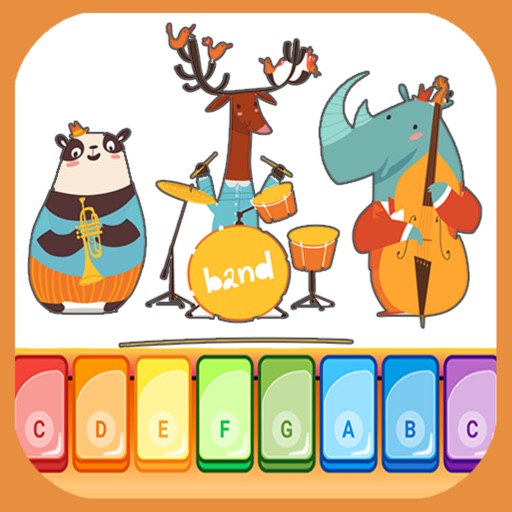
The app offers two playing modes for children and babies, featuring a colorful keyboard with 8 notes and real instrument sounds. It includes nursery rhymes and allows users to play their own songs in the full version.
Create and edit sheet using a virtual piano keyboard. Export and import MusicXML files for compatibility with other software. Compose simple piano pieces or complex symphonies. View and adjust musical scores with a user-friendly interface.
The app teaches about 27 musical instruments using a Montessori approach. It includes lessons on instrument names and sounds, a three-part card matching activity, and an activity to match instruments to their sounds.
Play interactive games to learn musical instruments and . Explore four modes: instrument, song, sound, and play. Tap keys to create melodies and recognize notes. Develop musical skills through fun activities and sound exploration.
Play memory to improve recall. Engage in visual to enhance observation. Identify shapes and forms. Solve puzzles and navigate mazes. Explore music and sounds. Learn numbers through interactive activities.
Udio tones with adjustable frequency, amplitude, and waveform selection. Choose from sine, square, sawtooth, and triangle waveforms. Test audio equipment, tune instruments, or use for sound therapy. Control settings through an intuitive interface.
Access for wind, brass, and string instruments with detailed visual guides. Tap to highlight notes, zoom in for clarity, and switch between instruments. Save and share for practice or teaching.