Create and save unlimited presets with 16 patterns each. Adjust polyphonic and polyrhythmic sequences. Sync presets to iCloud. Use as a standalone or AUv3 MIDI effect. Generate melodic patterns from played notes or chords.
Explore guitar with diagrams in all 11 fretboard positions. Select chord root, type, and variation to view options. Supports 4-string, 5-string, and 6-string basses. Displays over 8000 chord possibilities.
Create unique sounds by shaping notes with your mouth near the speaker. Adjust tone pitch and volume. Access a tutorial for guidance on using the effect.
Add reverberation to recordings using mono/stereo to stereo algorithmic . Choose from presets simulating small to large rooms. Compare edits with A/B functionality. Undo or redo changes. Adjust parameters for precise control.
Create and manipulate sounds using wavetable and subtractive oscillators. Apply flexible filtering and post-processing effects. Use advanced modulation sources for complex sound design. Access an intuitive interface for easy navigation and control.
The app provides a 7-day plan to learn ukulele by playing along with songs. It features a virtual fretboard with scrolling chord names and a playalong mode that syncs visuals and audio for practice at various tempos.
Edit and shape sound using three variable wave oscillators and two ladder filters. Adjust filter types and modulation settings. Use a multi-wave LFO and two modulation busses. Apply DSP-based effects for realistic analog synthesis.
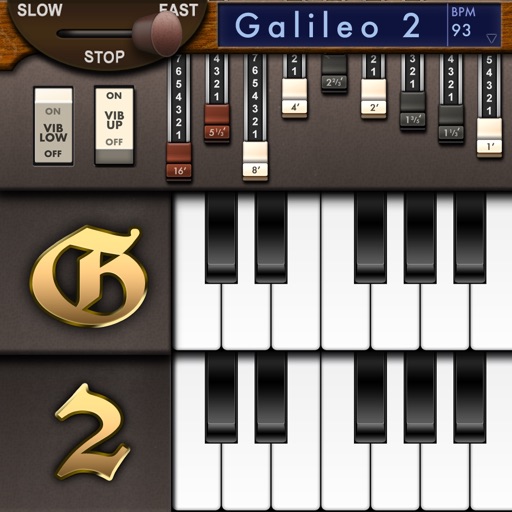
Create and customize sounds with 17 different types. Configure three manuals independently. Use scanner vibrato and chorus effects. Simulate rotary cabinets and tube amplifiers. Access AUv3 plugin for integration.
Learn animal names and sounds through an interactive sing-along song with all verses. Play 10 educational games and activities. Explore animated characters for engaging learning. Track progress with built-in feedback. Share achievements with family.
Provide a virtual sound with adjustable pitch and tuning. Play preloaded scales and rhythms. Record and playback sessions. Share recordings via email or social media. Sync with other devices for live performances.
Build essential music theory skills by practicing intervals, chord identification, and dictation. Analyze live singing with real-time pitch visualization on a score. Transpose melodic exercises to any key, clef, or octave.
Create and sequence music using 4 sound channels with 3 tone channels and 1 for drums and noise. Adjust audio parameters like pan, amplitude envelope, vibrato, and pitch glide. Add ring modulation, FM synthesis, and a resonant filter.
Create and play music using virtual pads that respond to finger movements. Play polyphonic melodies and percussive rhythms. Explore expressive sounds and create soundscapes. Adjust volume and tone settings. Share compositions directly.
Rotate cabinet effects to simulate a Leslie speaker. Adjust rotor and horn speeds independently. Mix the two components for pulsing vibrato. Apply to guitars, bass, synths, and vocals.