Create and organize with customizable templates and themes. Convert text to speech and vice versa. Share via email or messaging apps. Support sign language integration for direct communication.
by Jeff Fredrickson★ 5.07 ratingsProductivityFreeData updated 2026-09-14
Universal communication across languages and people.
The app facilitates universal communication by translating speech and handwriting into a user's native language. It supports connections between devices over Wi-Fi or the internet for real-time communication.
Create and share music with notation tools and templates. Practice rhythms with metronome and playback features. Collaborate with others through community forums and sharing. Sync progress across devices and access a library of user-generated scores.
Type in with an on-screen supporting multiple layouts. Translate text between and English. Convert text to speech and vice versa. Save and share translated text. Switch between layouts and translation modes.
Create , to-do , and memos in one . Add text, bullet points, and reminders. Organize entries into folders. Search for specific quickly. Export as text files. Sync across devices.
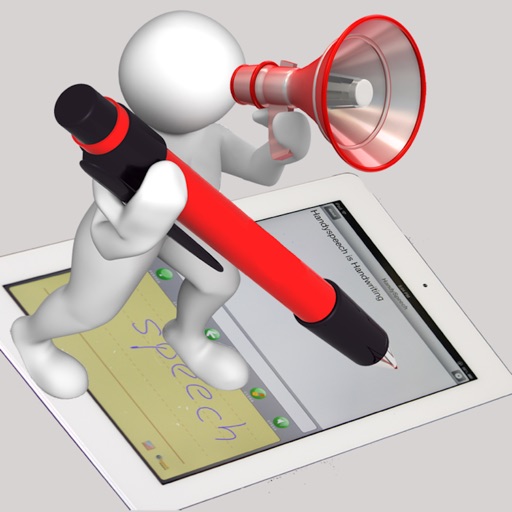
The app translates handwritten text into spoken language, offering a portable and accessible conversational tool. It learns handwriting styles, understands various writing forms, and supports multiple languages with natural-sounding voices.
Take in lectures, stories, articles, journals, and theses. Highlight text in ebooks and PDFs. Fill out PDF forms. Organize and share . Sync across devices. Collaborate on documents in real time. Manage tasks and deadlines. Export in multiple formats.
Convert spoken words into written text instantly. Record speech and receive polished, ready-to-use text. Use for -taking, communication, and content creation. Edit and format text directly. Share or save text files.
Add photos to by inserting images from the photo library or taking new ones. Backup securely and easily. Organize without account registration or monthly fees. Edit and view in a clean, high-performance interface.
Create labels to categorize information. Build to-do lists and set reminders. Sync calendar events and add widgets for quick access. Edit and organize text, images, and attachments. Set passwords to sensitive content.
Take with Apple Pencil, capacitive stylus, or finger. Customize pen color, thickness, and style. Secure with a passcode. Organize and manage digital content efficiently.
Translate text and speech between over 100 languages with real-time translation. Use voice recognition to speak and translate conversations. Save and share translated text. Switch between languages instantly.
Translate text between multiple languages with instant results. Support speech input for real-time conversations. Translate images by capturing text with the camera. Share translations via copy or direct message.
Save notes in a chat-style format with pinned messages for emphasis. Receive scheduled communication notifications. Organize notes into folders and access them across devices. Share notes via email or messaging apps.
Convert 12-hour to 24-hour format and vice versa. Set specific times and add multiple zones. Access conversion via Home Screen and Lock Screen widgets.
View synchronized with TV, movies, or cinema films. Supports multiple languages including English, Spanish, Arabic, and others. Adjust font size and style. Share with others.
Generate captions for videos using AI transcription. Add customizable text overlays with font, size, and color options. Sync captions to audio timing. Export videos with captions in various formats.
Create resumes using voice typing and customizable templates. Save and manage multiple versions. Search resumes with Spotlight. Add custom sections and reorder content. Share files directly.
Allows users to and encrypt , passwords, and voice memos. Create and manage folders with 3-layer security. Record voice up to 10 minutes. Sync across Apple devices via iCloud. Unlock with biometric authentication.
Record sermons or devotionals with speech-to-text transcription. Take real-time , highlight Scripture references, and generate AI summaries. Save and organize content for later review and reflection.