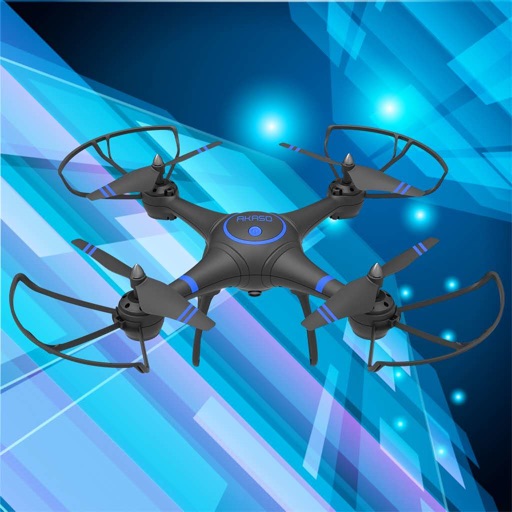
Control a quadrotor drone via WiFi. View real-time video feed from the drone's camera. Capture photos and record videos on the device. Save screenshots or videos for later review.
View live video feeds from multiple cameras and receive instant push notifications. Playback recorded video to review events. Manually record video or take snapshots to send. Set up and control the security system.
Send photos and videos to a Wi-Fi Cloud Frame for display. Add captions and comments to photos. Share up to 15 seconds of video. Invite friends to contribute content. Control the frame remotely via the .
Connect to via Bluetooth to send photos for instant printing. Adjust image orientation and zoom before printing. Use smartphone as remote control to trigger camera shutter. Transfer printed photos to device for storage.
Stream video and audio from iPhone or iPad using USB or WiFi. Adjust resolution and frame rate. Record and save streams directly. Control audio input and output settings. Monitor stream quality and performance in real time.
Control a four-axis aircraft using WiFi. View real-time video feed from the aircraft's camera. Capture photos and record videos on the connected device.
Control a four-axis aircraft using WiFi. View real-time video feed from the drone's camera. Capture photos and record videos on the device. Use voice commands for remote operation.
Control a four-axis aircraft using WiFi. View real-time video feed from the drone. Capture photos and record videos on the device. Supports 720P resolution.
Trail camera allows users to receive notifications and view photos or videos captured by the device. Users can download media from the cloud or SD card. Photos can be transmitted via 4G LTE to the mobile .
Record video with manual focus, shutter speed, ISO, and white balance settings. Capture in customizable resolutions, frame rates, and color spaces. Sync multi-cam sessions across up to four devices.
Securely store photos, videos, documents, and passwords with encryption. Access private content via a dedicated . Browse and download files privately. Play media and scan documents within the . Manage passwords and secure data with strong encryption.
Monitor and control camera settings remotely via smartphone. View live preview from compatible camera. Upload photos and videos to social media platforms. Adjust focus, exposure, and other shooting parameters.
Capture low-light and night photos and videos with enhanced clarity and brightness. Record 4K time lapses and use Astronomy modes to capture stars and Northern Lights. Enable long exposure for detailed night scenes.
Store and manage and videos with folder creation and sub-folder organization. Transfer files via USB, copy, move, and share media. Take private and videos directly from the . Sync media across devices using iCloud.
Network monitoring software allows users to log in via cloud or local Wi-Fi. View real-time frames and playback remote videos. Record and play local footage. Take snapshots, preview images, and monitor audio.
And videos via WiFi or USB to computer. Convert HEIC to JPG, HEVC to MOV/MP4, and Live to videos. Supports direct file sharing and drag-and-drop functionality.
Control drones, view real-time video, record photos
Control a four-axis drone via WiFi. View real-time video feed from the drone's camera. Capture photos and videos using the device. Enable VR mode for immersive viewing. Use voice commands for flight control.
View and manage security camera footage remotely. Request on-demand photos and videos. Adjust camera settings and access galleries. Receive real-time updates and notifications. Monitor 24/7 without requiring Wi-Fi or electricity.
Connect to cameras via Wi-Fi, Bluetooth, or cable. Download photos and videos in formats like JPG, DNG, MP4, and ProRes. Share media directly. Mark favorites, filter gallery, and batch download selections. Control camera settings remotely.