Play on a 4x4 board with randomly arranged pieces. Make moves quickly as each game lasts about a minute. Simplified rules allow beginners to play without prior experience.
by Daisuke Shinzato★ 5.03 ratingsGamesFreeData updated 2026-09-14
Play with randomized pieces including 8 knights, 4 bishops, and 3 pawns. Compete against an AI opponent. Adjust piece values and difficulty settings. Save and load game progress. Share game results via social media.
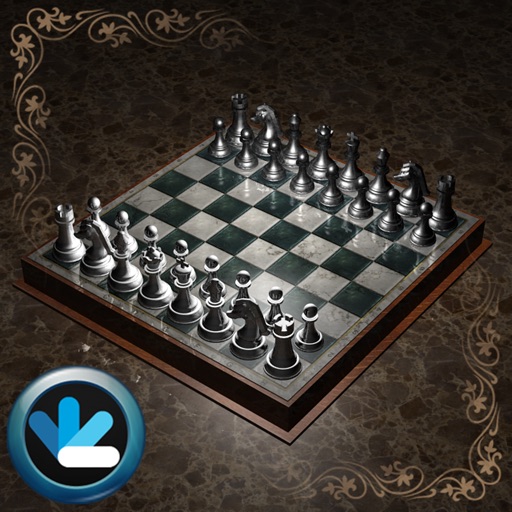
Play with a 3D board and rotatable pieces. Compete against AI on three difficulty levels or online against real players. Track moves, save games, and adjust piece positions manually.
Play or checkers on a customizable with free piece movement. Add or remove pieces and undo/redo moves. Rotate the or individual pieces. Save or load game positions and delete them by swiping. Use a configurable clock with adjustable time settings.
Play by matching three cards of the same rank and suit. Clear the board by removing all cards through strategic pairings. Track progress across levels with beautifully arranged card layouts.
The app allows users to practice chess with opponents from around the world. Users can review their games and the games of top-ranked players, and participate in an auto-translated chess forum.
The app provides three methods for users to enhance their chess abilities. Users can analyze their games with commentary, observe Stockfish's thought process, or monitor their performance over time.
Teaches basics through an interactive book a baby hippo character. Includes theory and practice sections. Helps children memorize notation, piece movements, and understand rules. Features quizzes and gameplay to reinforce learning.
Play against the computer or another player. Adjust computer difficulty, undo moves, and rotate the board. Access hints and use an intuitive, attractive interface for gameplay.
Chess against AI opponents with adjustable difficulty levels. Analyze moves using built-in notation and game history. Access tutorials for beginners and advanced strategies. Track progress with performance statistics and win-loss records.
The app offers introductory chess lessons for beginners, covering rules and basic moves. It provides Grandmaster-level move suggestions and analyzes games to help users improve their skills and understand strategic gameplay.
Play against a smart AI or another player. Solve puzzles to improve skills. Learn standard rules with beginner-friendly levels. Track progress and analyze moves. Share games and compete online.
Play a 3D game by matching and removing identical tiles from a pyramid. Challenge yourself to clear the board by pairing open tiles. Learn and practice rules through guided gameplay. Track progress and replay previous games.
Play on a hexagram-shaped board. Move pieces one step or jump over others. Race to move all pieces to the opposite corner. Supports two to six players, single or team play. Track turns and piece positions.
Play against the computer or another player. View available moves and take back moves. Get hints and choose from five difficulty levels. Includes sounds and a clock.
Analyze positions by inputting board setups via drag-and-drop. Calculate moves using cloud-based 16. View evaluations and variations. Customize analysis depth and time limits. Save and compare game positions.
Play by moving tokens from start to finish using dice rolls. Players compete in turns to reach the end first. Track progress and manage game turns manually. Supports two to four players.
Play against a real opponent locally or online. Trap opponent's pieces between your own to capture them. Switch piece colors during gameplay. Compete to have the most pieces remaining when the board is full.