Control devices with touchpad, keyboard, and buttons
Control smart projector or soundbar using touchpad, virtual keyboard, and function buttons. Adjust settings, navigate menus, and manage device functions directly from the .
by Power Mobile Life LLC★ 4.32,049 ratingsUtilitiesFreeData updated 2026-09-14
Control devices like lights, temperature, and plugs remotely. Monitor activity, adjust settings, and manage surveillance systems. Customize automation rules for lighting and security. View real-time data and receive notifications for device status.
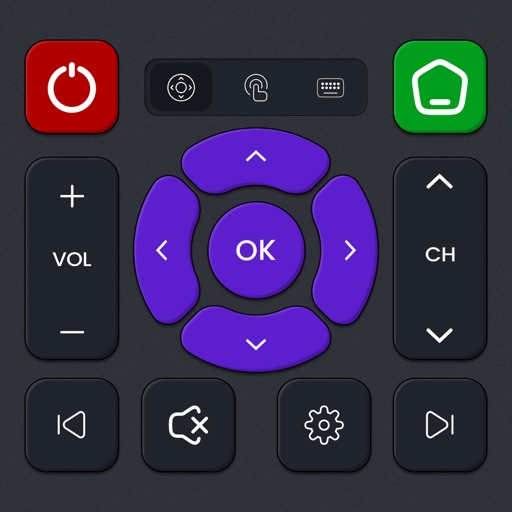
Control Roku TV devices with this . Navigate menus, play/pause content, adjust volume, and launch apps. Access all buttons and functions of the original . Requires same Wi-Fi network for connectivity.
Control LG webOS TV with a mobile , replace lost functionality. Launch TV apps directly from the . View and manage installed TV apps. Navigate channels and settings without a physical .
Control the -5K DAC AMP via Bluetooth Low Energy. Adjust equalizer settings and monitor battery levels. Update firmware and manage volume. View Bluetooth codec details and streaming information. Supports ES9219 DAC option.
TV remotely from a phone. Navigate menus, play/pause content, adjust volume, and access all TV functions. Simplify movie, music, and game navigation with an intuitive interface.
Control TV power, channel selection, volume, and mute with on-screen buttons. Switch input sources and navigate menus. Use built-in keyboard and trackpad for text input and browsing.
Control lighting systems with Eos family software 2.6 or higher. Program and playback scenes, adjust parameters, and manage fixtures. Navigate through tabs to switch between functions. Export settings and view system status.
The app provides mobile RDP access to Windows PCs and applications. It features patent-pending technology for resizing Windows objects and supports touchpad and floating pointers.
Answer questions using natural language processing. Share ideas and seek advice. Have casual conversations. Receive text-based responses. Customize chat settings. Initiate and manage conversations.
Control your TV remotely from anywhere in the home. Adjust volume, switch channels, and navigate menus with on-screen buttons. Access smart TV apps and customize shortcut keys. Power on/off and change input sources instantly.
TV functions such as channels, volume, menus, and settings from an iPhone. Manage controls for multiple devices. Adjust brightness, contrast, and audio settings directly through the .
Control and customize electric fireplaces with on/off switches, temperature adjustments, and flame intensity settings. Set timers, select preset scenes, and adjust lighting effects.
TV volume, channels, and playback from a smartphone or tablet. Adjust brightness and contrast. Navigate menus and access settings. Pair with multiple devices and manage playback functions.
Control Roku TV with an iPhone as a . Connect via Wi-Fi to switch channels, adjust volume, launch apps, and use a touchpad and keyboard for typing. Access voice search for content lookup. One-tap setup on the same network.
Remote control for a sweeping . Set and adjust cleaning schedules. Check battery level and operational status. Pause or resume cleaning tasks as needed.
Control smart devices with a centralized interface. Manage multiple Series products. Monitor and adjust device settings remotely. View real-time status updates and system alerts.