Calculate excavation slope requirements based on soil type and dimensions. Compare sloping vs. shoring options. Generate visual diagrams for guidance. Save results for future reference.
by DevDigital LLC★ 4.135 ratingsProductivityFreeData updated 2026-09-13
Create isometric drawings for plumbing and mechanical designs on iPad. Use preloaded templates and drag-and-drop tools. Export designs in multiple formats. Access a 48-hour trial before subscription. Includes a two-week free introductory period.
The app synchronizes estimates, photos, and client information across iOS devices using iCloud. It features a card-based interface for job management and generates professional PDF estimates with detailed cost analysis.
Create and manage job estimates with card-based interface and cover photos. Add and organize client information. Sync estimates, photos, and data across devices using iCloud. Edit and refine estimates on iPhone or iPad.
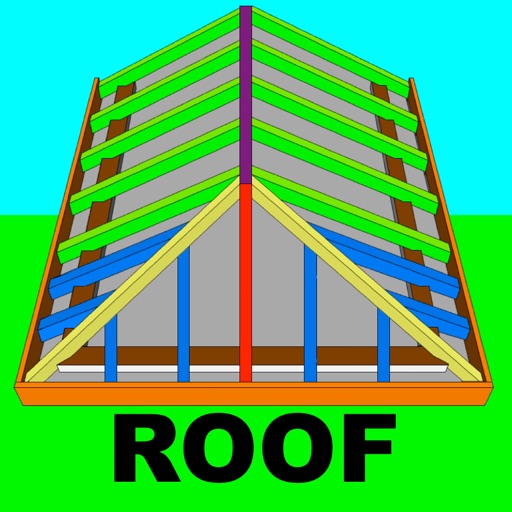
Calculate rafter, hip, and jack rafter lengths with precise angle cuts and birdsmouth dimensions. Input roof dimensions for instant results. Guide users in cutting roof components accurately without trial and error.
Solve equations and simplify expressions instantly as you type. Create and manipulate variables and functions with few keystrokes. Edit Markdown text to explain calculations and ideas. Share results and export calculations in various formats.
Calculate dimensions, convert units, and perform angle and rafter measurements. Estimate material quantities and layout stairs. Input measurements for precise calculations. Save and reuse formulas for repeated tasks.
Combines chat with construction management tools to track project progress, organize information, and reduce administrative tasks. Users can assign tasks, set deadlines, and share files within the .
Calculate and spa chemistry with a chemistry that determines precise chemical dosages based on current levels. Input dimensions to calculate volume and ensure accurate chemical adjustments.
Capture building dimensions and areas by taking a single photo. Measure walls, roofs, windows, and doors accurately. Export measurements and save project data for future reference.
Perform calculations with addition, subtraction, division, and multiplication. Calculate powers, roots, and percentages. Use dark mode, split view, and portrait/landscape orientation. Copy results by pressing and holding numbers.
Calculate image and video dimensions based on aspect ratios or percentages. Input original size or ratio and desired dimension. Output new width, height, and percentage. Auto-adjust for resizing tasks.
Calculate , cement bags, and sand volume for projects. Choose units based on regional standards. Input project dimensions to get accurate material estimates.
Helps calculate mold angles for precise cuts. Users input spring angle and other measurements to determine bevel and miter angles. The provides visual guides for setting up compound miter saws. Includes diagrams for accurate positioning during cuts.
Calculate based on set tour lengths and actual worked times. Input normal tour duration once, then enter worked tour for calculation. Supports RDO, PreTour, and wrap-around . Set rates and compute compensation in cash or time.
Calculate needs for smart security systems based on video resolution, frame rate, minimum video length, and endurance requirements. Input parameters to determine ideal microSD card capacity.
Calculate taxes including GST, VAT, and discounts. Input values to compute totals, markups, and percentages. Switch between light and dark themes. Export results and perform basic arithmetic operations.