Apps Like Image Editor - Edit Photo Plus for iPhone and iPad
Photos with effects and frames
Photos by importing from camera roll. Apply effects and frames. Adjust brightness, saturation, and contrast. Crop, rotate, and straighten images. Add text, stickers, and draw. Sharpen, blur, fix red eye, remove blemishes, and whiten teeth.
by 泝诚 温★ 4.551 ratingsLifestyleFreeData updated 2026-09-13
Edit photos with , , and AI cutout tools. Apply neon, glitch, and overlay . Add doodles, artistic text, and fun stickers. Share edited photos directly to Instagram, WhatsApp, Facebook, and Messenger.
The app allows users to crop photos into a square shape for posting on Instagram. It supports both landscape and portrait orientations and offers various background options and effects.
Edit photos by reshaping parts like waist, hips, and arms. Add muscle definition to specific areas. Smooth skin and adjust facial features. Save and share edited images directly.
Resize photos by adjusting dimensions in pixels, millimeters, centimeters, or inches. Save images in PNG or JPG formats. View side-by-side comparisons of original and resized images. Maintain quality during resizing.
Convert photos into comic styles using AI algorithms. Edit avatars with retouching tools. Access various comic templates. Apply filters and adjust images for effects. Share edited images directly.
Convert images to PDF files by capturing or importing from the camera roll. Automatically detect and crop rectangular areas with perspective correction. Adjust image rotation and appearance. Share or save the resulting PDF.
Arthur Eduardo Skaetta Alvarez Desenvolvimento de Software LTDA.
Photos and save to albums
Documents and photos using the device camera. Save scanned images to the camera roll or organize them into albums. Automatically crop scanned images by detecting paper edges. Adjust brightness and contrast for clearer scans.
The app organizes photos with customizable album layouts and a 3D browsing experience. It offers password protection, a powerful editor with real-time adjustments, and color-based photo searching.
Edit photos to slim the waist, shape the butt, tone arms, adjust thighs, increase bust size, and enhance skin tone. Remove blemishes and refine skin texture. Access in- tutorials for guidance. Export edited images in various formats.
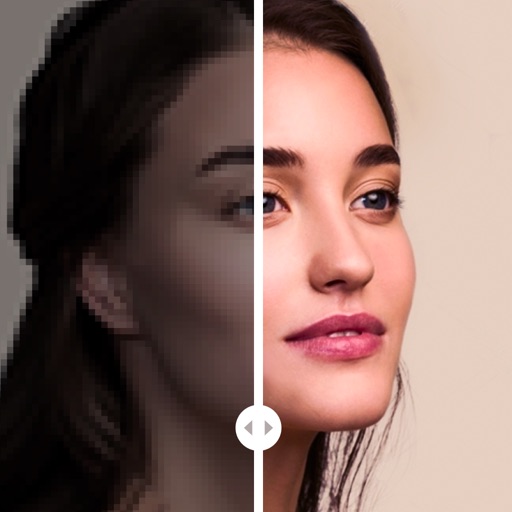
Edit photos to remove blur and sharpen details. Adjust brightness, contrast, and color balance. Enhance overall image quality and export edited photos.
Create customized monogrammed with selectable backgrounds and text. Add unlimited text elements and apply filters for color, brightness, contrast, and saturation. Adjust hue and add effects like vignette. Include design elements and stickers.
Take photos with multiple filters, light leaks, and effects. Use a timer, volume keys, and composition lines. Crop images in various ratios. Edit photos with filters and apply them to images taken with other apps.
Edit selfies and photos with AI retouching, body shaping, and beauty enhancements. Adjust skin tone, remove blemishes, and enhance details. Save and share edited images directly.
Create collages using free layouts and grids. Add stickers, text, and backgrounds. Edit photos with cropping, flipping, and layering. Save and share finished collages or stories. Generate wallpapers from edited images.
Create directly from your device. Select from common photo formats like 4.5x3.5 cm and 2x2 inch. Customize ID dimensions. Save, print, or share for documents and passports.