Create custom laser-cut boxes by defining size, material, and joint style. Add a lid and customize its fit and appearance. Preview the layout and export as SVG or PDF for further processing.
by Derek Graham★ 4.636 ratingsProductivityFreeData updated 2026-09-13
Measure objects using AR by aiming your camera and dragging a virtual ruler. Calculate height, width, length, and area. View real-time measurements and save results for later reference.
Create professional documents using for Apple . Choose from business and personal including invitations, posters, and brochures. Edit and customize designs directly within . Receive monthly updates with new .
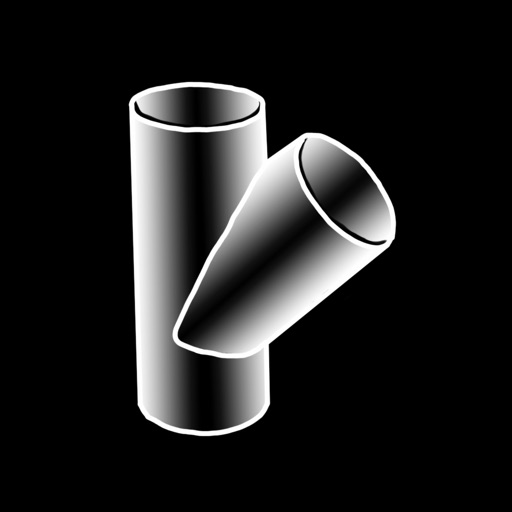
The app calculates layout dimensions for joining two metal cylinders at any angle. It generates full-size pattern templates for printing, supporting various printer sizes and measurement units.
Organize sewing patterns with custom tags, photos, and notes. Reference patterns while shopping to match fabric choices. Track project progress with notes and easily locate details without searching through physical storage.
Create and share organizational charts automatically
Create and manage organizational charts without manual drawing. Add and customize elements with color, shape, size, and text. Automatically arrange elements and share charts. Sync updates across devices. Export charts in multiple formats.
Multiple images simultaneously with customizable pixel dimensions. Choose from four modes including fixed width, fixed height, maximum pixel, aspect fill, or aspect fit. Export resized images in selected formats.
The app calculates subwoofer and speaker enclosures, offering designs for sealed, ported, bandpass, passive radiator, and transmission line types. It provides 3D visualizations, auto-generated blueprints, and cut sheets for building.
The app helps users minimize material waste by producing a cutting plan for lumber, sheet goods, and other materials. It accommodates various units and material sizes, factoring in saw blade width and wood grain for sheet goods.
Share files, message, and archive projects securely
Share work by starting conversations around documents, presentations, or images. Discuss files with real-time messaging and smart notifications. Preview files, leave feedback, and organize information securely.
The app allows users to create, scan, and edit PDF documents on iPhone and iPad. It organizes documents, scans, photos, and templates into editable projects, with features for annotation, page management, and secure export.
The app allows users to print photos from their iPhone or iPad. Users can select an image, choose a layout, and scale or crop it to fit multiple A4 pages for poster creation.