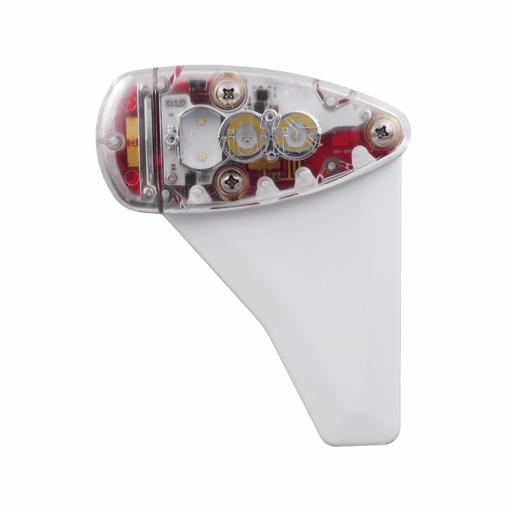
Apps Like uAvionix skyBeacon Installer for iPhone and iPad
Monitor and configure ADS-B devices
Monitor, install, and configure ADS-B devices. View device status, update firmware, and manage settings. Track aircraft position and receive alerts. Sync with compatible hardware for real-time data.
by uAvionix Corporation★ 3.86 ratingsUtilitiesFreeData updated 2026-09-13
Monitor device hardware and software performance. View CPU details, screen specifications, battery status, and network information. Track memory and storage usage. Access sensor data and run diagnostics for iPhones and iPads.
Manage smart home devices by room with organized device classification. Control and monitor hardware through a centralized interface. Assign family roles with administrator and member permissions. Access modular features for flexible customization.
Monitor and manage screen time on child devices. Set daily time limits for apps and websites. Track usage history and receive notifications. Allow or block specific apps and content. Sync with the Parental Control for remote management.
Configure custom font keyboards with 100 fonts and install 200+ fonts into the system font library. Use installed fonts in compatible apps like Pages and Word. Export font files and create text stickers.
Control and monitor smart locks and other devices. Adjust settings remotely. Receive alerts for device status. View real-time security footage. Manage device permissions and schedules.
Monitor by scanning networks to locate devices. View live feeds and receive alerts for motion or sound. Control settings and check device status remotely. Analyze network connections to identify connected devices.
Monitor indoor air quality with real-time data and color-coded indicators. Track air quality trends using detailed graphs. Set up devices quickly and manage settings through the . Receive alerts for air quality changes.
Manage hotspot settings and data usage. Monitor connection and battery life in real-time. View connected Wi-Fi devices and control hotspot power. Configure APN settings and send/receive SMS messages. Stream media and track data usage.
Control and monitor security devices such as video doorbells, deterrent cameras, and battery cameras. View live feeds, receive motion alerts, and manage device settings remotely. Adjust camera angles and trigger deterrents from the .
Audio settings, adjust EQ, and manage connected devices. Enable or disable features like noise cancellation and call handling. View battery status and firmware updates. Pair and switch between multiple devices.
Manage network status, configure switch ports, and check alerts from a mobile device. View device details, access settings, and submit feedback through the Settings menu.
Monitor and control devices remotely. Receive real-time notifications about usage. Customize device settings and firmware updates. Check battery levels and track input and output.
Cryptocurrency operations by viewing real-time and historical market data. Track multiple rigs across supported pools. Update pool accounts and check performance metrics. Sync with ethOS and MonitorRig for detailed hardware and network insights.
Shenzhen Well fitness Management Technology Co., Ltd.
Track fitness data and sleep quality
Track fitness activities with GPS positioning and sync data from smart bracelets and watches. Monitor sleep quality and daily movement. Adjust settings for battery efficiency and receive real-time health insights.
Cast photos, videos, and music from iPhone or iPad to smart TVs. Mirror device without delay. Create slideshows and draw on TV. Supports Roku and other compatible smart TVs. No additional hardware required.
Block pop-ups and banners from Safari. Prevent tracking by blocking ads and malicious scripts. Customize filter lists to manage which websites are blocked. Protect browsing data and enhance online .
Monitor multiple devices simultaneously. View real-time locations and track movement history. Receive alerts for geofence violations and device status changes. Manage API keys and access data through the iOS .
Install and manage custom fonts for use across apps. Apply selected fonts in text input fields within compatible apps. Access fonts directly from the in supported applications. Sync fonts with devices and organize collections.