Apps Like Fire Effect - Burn FX FlameArt for iPhone and iPad
Edit photos with effects and frames
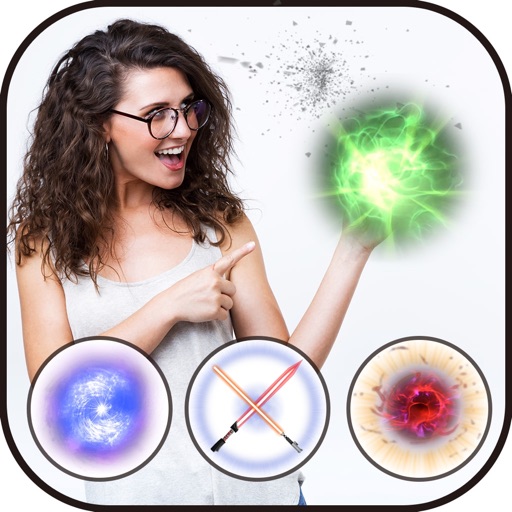
Edit photos with frames and burning effects. Add realistic flame art to images. Select from multiple options. Apply effects to enhance visuals. Save and share edited photos.
by Manani Jyotiben★ 2.84 ratingsPhoto & VideoFreeData updated 2026-09-13
Edit photos with 3D and color effects to create立体 art. Apply special effects to enhance images. Save and share edited photos directly. Use fun and intuitive editing tools for creative customization.
The app allows users to collect photos into art frames. Users can choose frames, select photos from their gallery or camera, apply effects, and adjust images with zoom and rotate functions.
The app allows users to create and edit designs with text, elements, and filters. Users can design social media posts, greeting cards, and add logos to their creations.
Record and edit videos with visual and templates. Add elements like dragons, magic circles, and space scenes. Include such as fire, laser, and lightning. Export and share edited videos directly.
Transform photos into , oil, digital, or contemporary art styles. Apply artistic effects with one tap. Adjust brush size, color, and texture. Save and share edited images directly.
Edit photos with effects, filters, and customizable stickers. Blend images and add 3D or overlays. Crop photos and draw on them. Apply frames and borders. Use a custom camera to capture and enhance images.
Create portraits with vintage photographic effects. Apply four styles including B&W, color, high contrast, and sepia. Adjust eye intensity, grain, and depth-of-field. Supports portrait mode for enhanced background blur.
Your face a 3D animated with realistic blinking, snarling, and fang display. Apply bloody effects and animations. Share transformed selfies. Access additional character transformations like werewolf and zombie.
Edit photos and videos with brightness, contrast, hue, saturation, and color filters. Add texture using blur, noise, dust, and dark corners. Apply vintage film-inspired filters for a retro look. Export and share edited content.
Capture photos and videos with manual controls for ISO, shutter speed, and white balance. Shoot in RAW format for detailed editing. Apply advanced effects and instant color grading. Use professional filters to enhance visuals.
Edit photos by applying 100+ textures with brush tools. Adjust effects using opacity and blend modes. Retouch with an eraser. Add sparkles and other decorative elements. Save edits or share directly to social media.
The app allows users to combine multiple photos into a single collage. Users can select from various layouts and frames, add captions, and apply special effects.
Edit photos with filters, effects, and shapes. Add text and stickers. Crop and adjust images. Share directly to social networks. Apply pre-designed styles for modern looks.