View firmware history and access update instructions. Check version details and download update guides. Navigate through past firmware releases and review installation steps.
Manage headset firmware updates and customization. Adjust EQ settings, set mic monitoring levels, and access device-specific features. Sync with compatible headsets for real-time adjustments and updates.
Check headset power levels, adjust effects, customize button functions, and update firmware. Modify settings for compatible devices and monitor battery status in real time.
Control sound equalization and pre-sets. Find earphones by sound or location. Customize control buttons. Receive firmware updates. Adjust audio settings for optimal listening.
Sync battery, heart rate, and step count data from PineTime to iOS. Control Apple Music playback via PineTime. Update PineTime firmware directly from the .
View scooter details, adjust settings, and update firmware via Bluetooth. Monitor vehicle data and customize parameters for enhanced control and performance.
Details with firmware, version, and protocol information. View supported AirPlay formats and device settings. Manage connections and update firmware remotely.
Preview footage, control settings, update firmware
Preview and manage dash cam footage and photos. Control settings and update firmware. Transfer files wirelessly to a phone. Share videos and images directly to social networks. Review content without needing a computer or cables.
Monitor battery level before outdoor activities. Adjust auto capture settings for optimal performance. Track steps taken during item searches. Update firmware and access enhancements for device maintenance.
Update firmware to access new features and improved performance. Enable enhanced responsiveness and additional functionality. Optimize typing experience and ensure device compatibility.
Updates firmware for Precision Circuits Digi-level controller. Initiates and monitors the update process. Provides progress indicators and confirms completion. Ensures compatibility and stability during the update.
Manage audio settings by customizing EQ profiles. Remap touch controls for personalized gameplay. Update firmware to ensure optimal performance. Monitor battery status and device pairing.
Monitor status in real time with detailed logs and system settings. Update firmware online. Access detailed information about performance and settings.
Update firmware for specified chips including Icar01, Icar02, Icar03, MIC3311, MIC3312, MIC3313, MIC3422, MIC1103, and MIC3425. Connect to devices to check firmware versions and initiate updates. Supports multiple device models and chip variants.
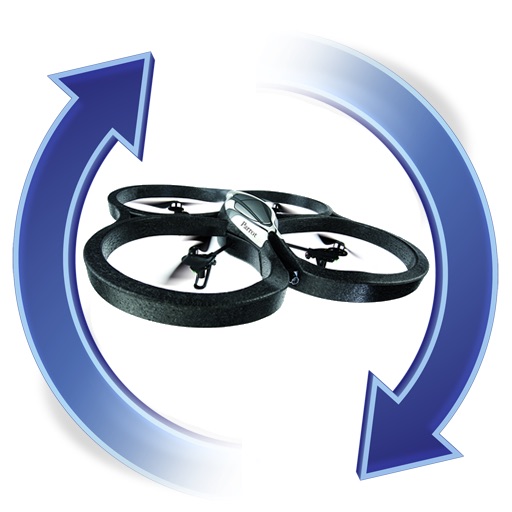
The app manages firmware for AR.Drones, allowing upgrades and downgrades to any version. It sends push notifications when new firmware becomes available.
Control Bluetooth headset functions with a rich interface. Access hidden features and firmware updates. Manage audio settings and device pairing. View battery status and connection details.
Configure and manage DauntlessOBD device settings. Pair with vehicle via wireless connection. Update firmware remotely. View real-time vehicle data and diagnostic trouble codes. Supports only DauntlessOBD devices.
Manage wireless tattoo devices without external power or cables. Customize voltage presets for different tattooing styles. Update firmware for Force and Chroma machines to improve charging speed and stability.
Firmware for devices using built-in tools. Select firmware files, initiate updates, and monitor progress. Receive notifications upon completion. Cancel updates if needed.