Create slideshow videos by selecting templates, adding photos or videos, and applying transitions, animations, and effects. Customize with stickers, fonts, and music. Share directly to social media platforms or save to camera roll.
Remove backgrounds from images using automatic or manual tools. Edit photos with removal, erasing, and recovery brushes. Save and share edited images directly.
Apply effects to photos and videos by inverting colors. Adjust brightness and contrast. Save edited media to gallery. Share directly from . Draw on images to customize effects.
The app allows users to create color patterns and apply them to photos. Users can define custom patterns by adjusting colors for gray levels or modify existing ones.
Enhance quality by unblurring, restoring clarity, and fixing low-resolution images. Create AI-generated avatars from selfies. Apply artistic filters and adjust colors. Export edited photos in various formats and share directly.
Edit photos with retro filters and . Add antique textures and color adjustments. Apply nostalgic styles for a timeless look. Save and share edited images directly.
Convert photos to colored or black and white sketches using 7 available effects. Choose a photo from the library or take a new one. Apply a effect and save the result to the device. No internet connection is required.
Edit photos with AI-powered toonification, caricature, and Pixar-style cartoon effects. Apply face filters, reface, and adjust digital art layouts. Add backgrounds and export edited images.
Create slideshows by selecting images from the photo library. Add music from Apple Music or the 's library. Apply filters and special effects to photos. Include text, emojis, and adjust length.
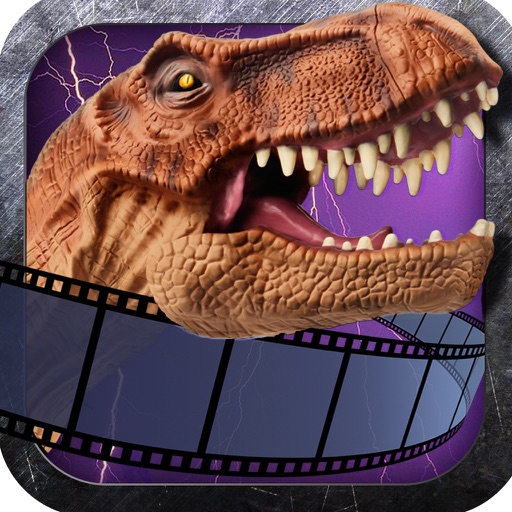
Add photorealistic dinosaurs and to photos. Apply built-in editing tools to enhance creations. Share Art with friends. Include brutal sticker packs for intense visuals.
Edit photos with grid layouts, brightness, contrast, and saturation adjustments. Apply filters to enhance images. Create collages with multiple layout options. Export edited photos in various formats.
Turn photos into cartoons using AI-powered effects. Pixelate images for pixel art styles. Remove and replace backgrounds instantly. Add rounded borders for profile pictures. Export edited photos in various formats.
Edit photos with filters, effects, and auto retouching. Apply unique styles and vintage looks. Adjust brightness, contrast, and saturation. Add text and stickers. Export and share edited images directly.
Turn photos into cartoons with AI-powered filters. Apply effects, add toon backgrounds, and combine drip effects. Edit layouts and create anime-style avatars. Share edited images on social media platforms like Instagram, Facebook, and TikTok.
Edit photos by swapping faces using AI technology. Adjust facial features and apply filters. Copy faces from one image to another. Create realistic or humorous -over effects. Share edited images directly.
Transform photos into paintings with art filters inspired by famous artists like Warhol, Modigliani, Picasso, and Rembrandt. Apply 50+ aesthetic lens effects. Edit images without Photoshop skills. Share edited photos directly.
Try on different styles with adjustable fit. Add masks, stickers, and effects to photos. Edit selfies and adjust placement. Share edited photos directly to social media.
Apply effects to photos with multiple classic color options and adjustable beauty filters. Add grain intensity and choose from various photo borders. Import photos from the album to apply effects and use photo frames. Supports Live Photos.
Edit photos with text effects and auto background changes. Add customizable signs and text. Adjust brightness and contrast. Save and share edited images directly.
Create frames with filters, text, and stickers. Add photos to cakes with customizable designs. Share edited images directly. Includes 150+ options and cake templates.