Apps Like Solving Linear Equation PRO for iPhone and iPad
Solve equations and view plots
Solve equations using two points, one point and slope, or coordinate values. Input decimals and fractions. View step-by-step solutions and plot graphs. Store calculation history and share final results.
by Glindemann, Sennoun, Langer GbR★ 4.622 ratingsEducation$1.99Data updated 2026-09-13
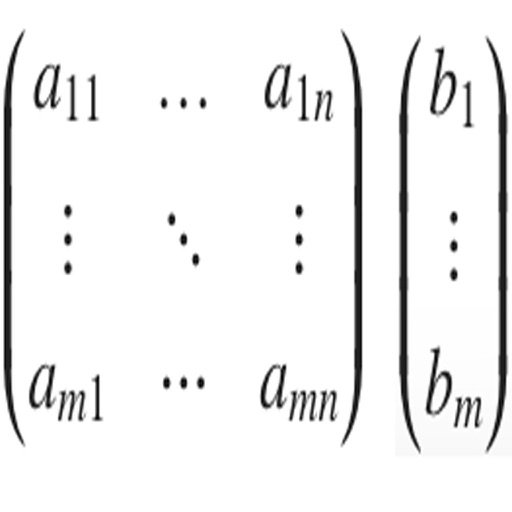
The app solves systems of linear equations with two and three variables. It shows step-by-step solutions and supports various coefficient types, displaying results as decimals and fractions.
Enter and validate data in a table with error detection. Calculate equations with and without predicted values. Predict y values within the range of x data.
Calculate missing sides of right-angled triangles using the Pythagorean theorem. Enter two sides to find the third. Save calculation history. Share complete solutions. Support for entering fractions. No advertisements.
Perform complex calculations with a powerful math core and algebra engine. Display mathematical expressions with proper formatting. Solve equations, graph functions, and convert units. Access scientific, financial, and programming calculators.
The app offers six calculator types including graphing, handwriting, and scientific functions. It displays equations and results simultaneously, supporting equation solving and graph plotting.
A a log of all calculations. Displays input equations and results clearly. Includes backspace function. Allows adjustable keyboard size and number font size. Supports customization of decimal places, font size for , and display format.
Calculate trigonometric values for the by inputting radians or angles. Display step-by-step solutions and support negative numbers, decimals, and fractions. Save calculations in history and share results.
Solve equations by photo or manual input. Provide step-by-step explanations for and calculus problems. Offer accurate solutions and teach mathematical concepts for self-guided learning.
Calculate with dual-line display and multi-line input
A with dual-line display showing input and result. Supports multi-line equations and tap-to-move cursor. Saves calculation history with timestamps and labels. Allows emailing calculations and swiping to review past entries.
Allows users to perform complex calculations with a natural display that shows expressions as written. It supports fractions, roots, and exponents. The includes a graphing module for visualizing equations.
Allows plotting of polar, cartesian, and parametric equations with unlimited expressions. Users can add sliders for function transformations, create tables for data input, and animate graphs.
Graph equations and calculate advanced math functions
Graph functions with support for multiple equations and color differentiation. Plot up to ten functions simultaneously. Use touch gestures to zoom and trace graphs. Perform calculations using natural textbook notation and advanced math commands.
Solve math problems from elementary to college level. Perform algebra, calculus, and statistical calculations. Graph functions and equations. Export results and share solutions. Replace graphing calculators advanced computation tools.
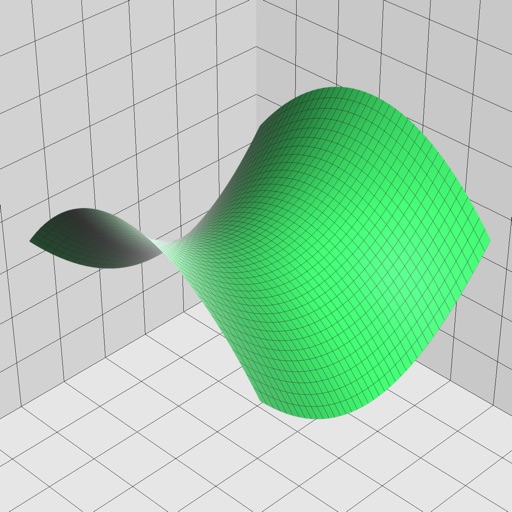
Enter and edit equations in mathematical notation. Visualize 2D and 3D graphs of explicit, implicit, and inequality equations. Adjust settings for display and analysis. Save and share calculations.
Allows users to take photos of math problems and receive step-by-step solutions. It can plot graphs of equations. Users can chat with an AI tutor for homework and assignment .
Edit equations during calculations. Save, copy, and share calculation history. Access memory for last calculations. Use dark mode. Support drag and drop. Enable split view for . Perform basic calculations on iPhone and Apple Watch.