Apps Like Griddal - Split Profile Pics for iPhone and iPad
Edit photos, crop, and post in order
Slice photos into smaller squares and arrange them in a specific order for Instagram. Users can select images from their library, crop them, and post the arranged slices to create a cohesive image.
by Foobar Creative★ 4.58 ratingsSocial NetworkingFreeData updated 2026-09-13
Resize images to fit various formats like Instagram posts, stories, Facebook covers, or custom ratios. Adjust aspect ratios manually or select preset options. Apply Fit or Fill modes to scale images without cropping or stretching.
Create -swapped videos by uploading a self-photo to apply to templates. Replace faces in clips with characters or other faces. Access regular template updates. Export high-quality videos for social media platforms.
Create future baby videos by predicting your child's appearance and adding realistic laughter sounds. Generate cinematic videos with AI-driven styling. Edit photos into professional headshots without complex editing tools.
Edit photos with filters, backgrounds, captions, and stickers. Add themed frames for holidays, birthdays, and milestones. Create collages and apply special effects. Share edited images directly.
Edit videos by trimming, rotating, scaling, and flipping clips. Select frames and overlays to enhance visuals. Export full-size videos for Instagram and other platforms. Adjust orientation to match social media requirements.
The app allows users to apply monochrome filters and effects to specific parts of an image by rubbing with a finger. Users can also reduce or enlarge images using a pinch gesture.
Create and send captions with photo prompts. Generate captions based on snapped images. Share generated content to ’ lockscreens or social platforms like Snapchat and Instagram.
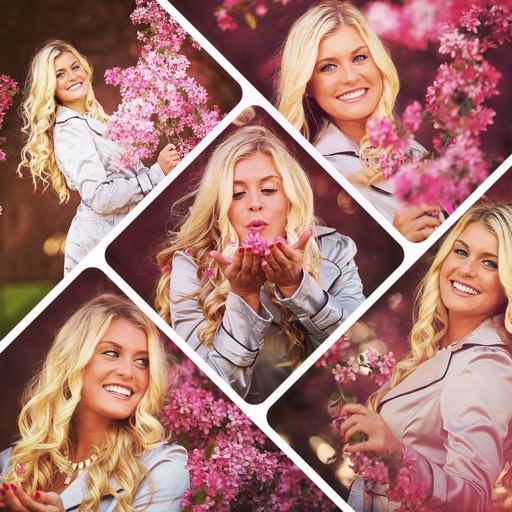
Create collages by combining multiple photos using various frame patterns and grid layouts. Apply over 1100 design styles to individual images or collages. Share finished creations directly from the .
Edit photos by applying -themed frames from a collection. Select images from the camera or gallery. Add text to personalize messages. Share edited photos directly.
AI image creation allows users to generate images from text descriptions or convert photos into cartoon, illustrated, or stylized versions. Users can apply fun hair color changes and create AI headshots.
Edit photos, create avatars, generate digital artwork
Edit photos with AI-powered effects, including 3D avatars, anime-style portraits, and pencil sketch filters. Customize artwork with color adjustments and effects. Export and share transformed images directly.
The app allows users to turn iPhone photos into postcards, calendars, framed prints, and photobooks. Users select photos, edit and preview them, and then place an order for delivery.
Upload photos to analyze objects, themes, and emotions. Generate relevant hashtags based on image content. Tailor hashtags to increase engagement and reach target audiences on Instagram.
Plan and schedule Instagram posts, videos, and carousels. Edit content with crop, filters, stickers, and captions. Manage publishing dates and times. Sync with Instagram directly.