Design interfaces with buttons, faders, and colour
Design custom user interfaces with drag-and-drop elements. Add buttons, faders, and color pickers. Preview and export interface designs for the . Adjust layouts and styles for different screens. Save and reuse interface templates.
by Visual Productions BV★ 0.00 ratingsUtilitiesFreeData updated 2026-09-13
Record video with punch-in/out editing and jog wheel scrubbing. Apply customizable VHS and 8mm filters from the 1920s to 2000s. Adjust color, contrast, and brightness for desired vintage look. Export videos in various formats and share directly.
Edit photos with , , and AI cutout tools. Apply neon, glitch, and overlay . Add doodles, artistic text, and fun stickers. Share edited photos directly to Instagram, WhatsApp, Facebook, and Messenger.
Edit photos with filters, effects, and backgrounds. Add stickers and choose from various fonts. Crop, resize, and rotate images. Create square photos and adjust ratios. Share edited photos directly.
Create and manage exam templates with customizable bubble sheets and question types. Import student data, calculate grades, and export results. Support Arabic and English templates. Attach question images to bubble sheets.
Apps for games, audio-visual storybooks, business tools, and multimedia lessons using a visual coding interface. Design user interfaces, add interactive elements, and publish apps to the web without coding.
Create resumes using professional templates approved by recruiters. Customize and rearrange sections, adjust margins and styles. Edit text and add signatures to cover letters. Export in various formats for job applications.
Edit files by reducing noise, cropping sections, and separating vocals from accompaniment. Extract from videos with high precision. Export processed in lossless format.
Add custom watermarks to photos by adjusting font, color, and position. Record clock-in times with auto-detection. Select templates for personalized records. Edit watermarks and clock-in data easily. Share photos with watermarks directly.
Control MIDI and OSC messages using multi-touch and motion gestures. Assign gestures to trigger specific outputs. Customize interfaces without sliders or buttons. Integrate with synthesizers and other MIDI/OSC software.
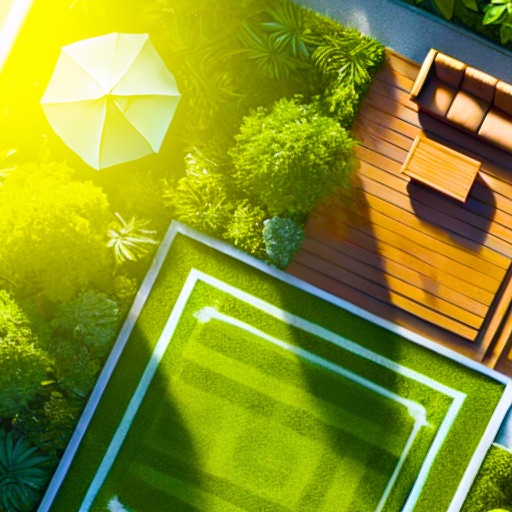
Upload a photo of your outdoor space and select a design style. AI generates ideas with plant placements and features. Adjust elements, view 3D renderings, and export design plans for implementation.
Edit photos with paint and drawing tools, blemish removal, and image enhancement features. Add text and stickers. Export and share edited images directly.
Convert documents to PDF and edit existing files with annotations. Search for PDFs online, create new ones, and convert from various formats. Organize and manage files within the . Share and export edited documents directly.
TV functions like volume, channel, and power with on-screen buttons. Navigate menus with intuitive gestures. Receive tactile feedback through vibrations. Access multiple devices and apps from one interface. Adjust settings and save custom layouts.
Create logos using AI-powered design tools. Choose from various styles and customize colors, fonts, and layouts. Export logos in multiple formats and share directly.
Create end for videos with customizable text and styles. Add rolling text with simple taps. Choose from various styles and fonts. Export as or image. Sync with editing software.