Apps Like Origami - Fold & Learn for iPhone and iPad
Paper, follow steps, create shapes
By following step-by-step instructions for creating various shapes like boxes, flowers, and stars. Access detailed diagrams and high-quality photos of finished designs. Navigate a clean, easy-to-use interface for folding activities.
by Andreas Bauer★ 4.51,107 ratingsEducationFreeData updated 2026-09-13
Learn to construct cross sections of polyhedrons using step-by-step instructions. Study 12 subjects and complete 105 tasks ranging from basics to challenges. Solve geometric puzzles and explore 35 terms in a glossary.
Early education offers structured activities for children ages 3 to 5. Teach letters, sounds, numbers, colors, shapes, and basic math. Include handwriting practice, reading readiness, puzzles, memory games, drawing, and coloring.
Create professional-looking presentations with customizable templates. Add text, images, and animations. Edit slides, update content, and share presentations online or via email. Export in various formats for viewing and printing.
Through structured lessons focused on one subject at a time. Complete exercises to reinforce concepts. Track progress and expand knowledge systematically. Sync devices for continued learning.
Access detailed survival guides with step-by-step instructions, diagrams, and images. Learn emergency prepping, foraging, first aid, navigation, shelter building, fire starting, and pet survival.
Solve problems with step-by-step explanations. Input equations or scenarios for detailed solutions. Cover topics like mechanics, electromagnetism, and thermodynamics. View visual diagrams and formulas.
Calculate of geometric shapes with step-by-step explanations. Input dimensions and select shape type. View detailed calculation steps. Save results for later reference. Share solutions via email or messaging.
The app provides practical, easy-to-follow tips and instructions for macOS, watchOS, and iPadOS. Each issue contains step-by-step tutorials, hands-on tips, hidden features, and recommendations for everyday technology users.
Learn techniques through step-by-step guidance with a virtual teacher. Create figures using AR features. Complete training courses for children. Watch animated instructions to fold paper into animals and other shapes.
Learn drawing through step-by-step tutorials. Create and customize designs. Save and share artwork. Access drawing lessons for beginners and advanced users. Track progress and practice sketching techniques.
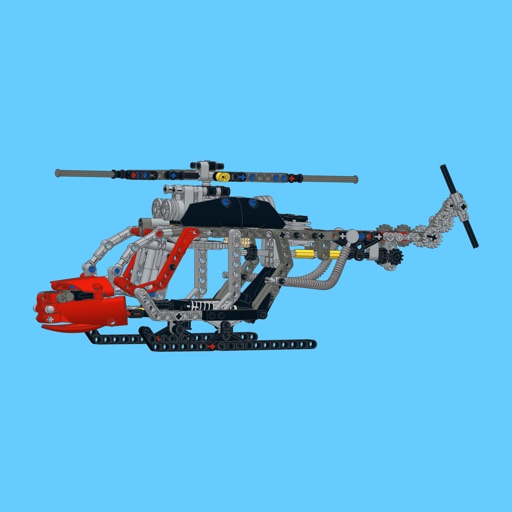
Build a using detailed step-by-step guides, part lists, and large images. Highlight new parts with a button. Follow similar to official manuals. Share feedback to help improve future MOCs.
Build and customize PCs using real-world components. Learn to assemble hardware step-by-step with detailed instructions. Repair different PC models and manage component compatibility. Track progress and upgrade systems over time.
Drawing techniques through interactive lessons that break down shapes and strokes. Follow animated guides to practice each step. Save and review your artwork. Share drawings via email or social media.